Sunday, May 10, 2015

Ubuntu 15.04 (Vivid Vervet) Review: Solid, stable and could have been the LTS release as well

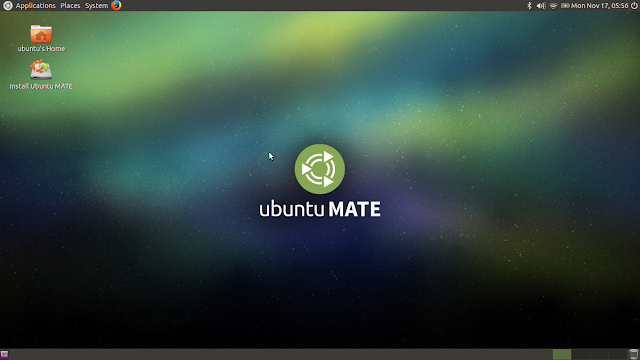
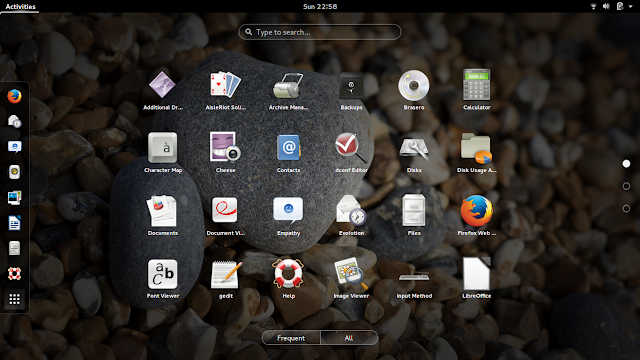
I guess this is my first review after a gap of a couple of months. Actually I was busy with interesting developments in my professional career and right now, more busy with packing my and my family's stuff. We are shifting our base to Chicago, IL from Bangalore, India. Hence, I didn't find adequate time to actually pen down a review. Further, my Linux Mint 17.1 Cinnamon is running absolutely stable to the point of boredom that I didn't feel to try out any other distro. Even practically I gave Debian 8 and Ubuntu 15.04 release nearly a miss. I guess this will continue till end of month May. I am hoping in June I'll be able to get back to my schedule of 2-3 reviews a month.

Anyway, back to the review. I downloaded the 64-bit version of Ubuntu 15.04 ISO, about 1.1 GB in size. The release note from Distrowatch mentions the following changes:
The new release, which will be supported for nine months, features LibreOffice 4.4, version 3.19 of the Linux kernel and a switch from Canonical's Upstart init to systemd. "systemd has replaced Upstart as the standard boot and service manager on all Ubuntu flavors except Touch. At the time of the 15.04 release there are no known major problems which prevent booting. The only service which does not currently start is Juju, which will be fixed in a post-release update soon; all other packaged Ubuntu services are expected to work. Upstart continues to control user sessions... You can boot with Upstart once by selecting `Advanced options for Ubuntu' in the GRUB boot menu and starting the `Ubuntu, with Linux ... (upstart)' entry. To switch back permanently, install the upstart-sysv package (this will remove systemd-sysv and ubuntu-standard)."

From Ubuntu 15.04 http://mylinuxexplore.blogspot.in
I used Linux Mint Image Writer to create a Live USB on a 4 GB USB drive and booted it up on my Asus K55VM laptop.

Read more!

Sunday, March 15, 2015

Bodhi Linux 3.0.0 Review: Minimalist distro with superb performance

On 17th Feb, 2015 Jeff Hoogland has announced the final release of Bodhi Linux 3.0.0, a desktop distribution based on Ubuntu 14.04 and featuring a customised Enlightenment 19.3 desktop: "Today I am very happy to share with you the first stable release for the third major update to the Bodhi Linux operating system. Notable features in the 3.0.0 release: Enlightenment E19.3, Terminology 0.8.0, ePad 0.9.0, Numix icons, Linux kernel 3.16, Ubuntu 14.04 LTS core. The release images for 3.0.0 support a wide range of hardware including: non-PAE processors, UEFI BIOS, SeaBIOS Chromebooks. Our stable release is not the only thing that is new at Bodhi Linux this month. Our main website, AppCenter, Wiki, and Forums have all gotten complete overhauls to go alongside this new release. If you are new to Bodhi Linux please take a look at the Quick Start Guide that opens by default when you first boot the live CD / operating system."

From Bodhi Linux 3.0.0 http://mylinuxexplore.blogspot.in
I have used Bodhi 2.x quite extensively on a couple of low powered machines I have. I liked the attractive interface of Bodhi and it's simplistic design. Bodhi 2.x was based on Ubuntu 12.04 LTS and the present release is based on Ubuntu 14.04. Unlike Ubuntu Trusty, which is still running Linux kernel 3.13.0 series, Bodhi ships with kernel 3.16.0.

Bodhi Linux provides options to download 32-bit, 64-bit, legacy and Chromebook version. I chose 64-bit ISO, about 612 MB in size. I created a live USB using Linux Mint Image Writer on a 4 GB USB drive. First I did a live boot on my laptop and then installed it to a 100 GB drive to understand Bodhi's performance better.

Read more!

Sunday, March 8, 2015

Netrunner 15 Review: Looks fantastic as usual but lags a bit in performance

On 16th February 2015, Clemens Toennies has announced the release of Netrunner 15, a desktop Linux distribution based on Kubuntu 14.10 and featuring the new KDE Plasma 5.2.0 desktop: "We are proud to announce the official release of Netrunner 15 'Prometheus'. Netrunner 15 is revised from the ground up - as the first distribution, it officially ships the new KDE Plasma Desktop 5.2. Therefore, an upgrade from previous Netrunner series with KDE 4.x is neither officially available nor really recommended. This release is 64-bit only. What's new? This release features the brand new KDE Plasma Desktop 5.2, packed together with the freshly released KDE Frameworks 5.7 and Qt 5.4. It takes a great deal of Oxygen and a little of Breeze and mixes them into a blend of tradition and modern. All previous settings and add-ons have been carefully restored to work in this new environment. With Netrunner 15 we took the chance to ship a finely revised set of applications."

From Netrunner 15 http://mylinuxexplore.blogspot.com
I downloaded the 64-bit Netrunner ISO, 1.8 GB in size for this review. I created a live USB using Linux Mint Image writer on a 4 GB USB drive and installed it on my Asus K55VM laptop. Netrunner 15 is based on Kubuntu 14.10 (Utopic Unicorn) and ships with Linux kernel 3.16.0, with KDE 4.14.1 and plasma 5.2. Dolphin 4.14.1 is the default file manager.

Read more!

Saturday, February 28, 2015

Korora 21 "Darla" Cinnamon Review: Linux Mint of Fedora world

Korora has always impressed me as an easy to use Fedora repackaged with all bells and whistles. Korora was born out of a desire to make Linux easier for new users, while still being useful for experts. The main goal of Korora is to provide a complete, easy-to-use system for general computing. Originally based on Gentoo Linux in 2005, Korora was re-born in 2010 as a Fedora Remix with tweaks and extras to make the system "just work" out of the box. I downloaded the 1.75 GB 64-bit ISO of Korora 21 Cinnamon for this review.

Korora 21 ships with Cinnamon, KDE, GNOME 3 and XFCE flavors. I chose Cinnamon as I never used a Fedora with Cinnamon DE. Further, Cinnamon as a DE seems more appealing to me these days for it's customization options over any other DE.

Korora 21 comes with Cinnamon 2.4 and Linux Kernel 3.18 series. Nemo is the default file manager in the distro.

From Korora 21 Cinnamon http://mylinuxexplore.blogspot.in


Read more!

Sunday, January 18, 2015

Linux Mint 17.1 "Rebecca" KDE Review: The Best KDE spin I have used!

On 8th January 2015, Clement Lefebvre has announced the availability of an updated build of Linux Mint "KDE", a version based on Ubuntu's latest long-term support release: "The team is proud to announce the release of Linux Mint 17.1 'Rebecca' KDE. Linux Mint 17.1 is a long-term support release which will be supported until 2019. The previous version of Linux Mint used KDE 4.13. In this release, KDE is upgraded to version 4.14. Support was added in MDM and in the session for the KDE wallet to be fully integrated with Linux Mint. Although a Wallet Manager is present for configuration purpose, no interaction is needed for the KDE wallet to work. The wallet is created automatically with your first login, and it opens automatically in the background with every new session. The Update Manager now groups packages together according to their source package."

From Linux Mint 17.1 KDE http://mylinuxexplore.blogspot.in
I downloaded the 64-bit Linux Mint 17.1 KDE ISO, 1.6 GB in size, for this review. I created a live USB using Linux Mint Image Writer (which supports UEFI Secureboot as well), on a 4 GB pendrive. I did a live boot on my test laptop, Asus K55VM. The details of the hardware is given below.

Read more!

Friday, January 2, 2015

Linux Lite 2.2 "Beryl" Review: Good lightweight XFCE LTS spin

On Dec 2, 2014, Jerry Bezencon has announced the release of Linux Lite 2.2, an updated build of the project's lightweight distribution based on Ubuntu 14.04 LTS and featuring the Xfce desktop: "Linux Lite 2.2 final is now available for download. This release is a product of the incredible contributions from both the community and the developers. We've added Backups, a very simple to use backup utility, Date & Time, File Search, and our newest members to the Linux Lite software family - Lite Cleaner, an easy-to-use point and click system cleaner and Lite Welcome which greets you on first boot, gives useful information about Linux Lite including updates, support and development. We've also added Light Locker as the new default screen locker. There are also improvements to Install Additional Software, allowing you to choose multiple programs at once to install. There is also Check Install Media that has been added to the live boot menu".

From Linux Lite 2.2 http://mylinuxexplore.blogspot.com
For this review I downloaded the 738 MB 64-bit ISO of Linux Lite for this review and created a live USB on a 4 GB pendrive using Linux Mint Image Writer. Linux Lite 2.2 ships with XFCE desktop and Linux kernel 3.13.0 with Thunar 1.6.3 as the file manager.

Read more!

Wednesday, December 24, 2014

Fedora 21 GNOME Review: If you can ignore the initial hiccups, fantastic operating system!

On 9th December 2014, Matthew Miller has announced the release of Fedora 21, the latest stable version of Red Hat's community distribution for desktops, servers and the cloud: "The Fedora Project is pleased to announce the release of Fedora 21, ready to run on your desktops, servers and in the cloud. Fedora 21 is a game-changer for the Fedora Project, and we think you're going to be very pleased with the results. As part of the Fedora.next initiative, Fedora 21 comes in three flavors: Cloud, Server, and Workstation. The Fedora Workstation is a new take on desktop development from the Fedora community. Our goal is to pick the best components, and integrate and polish them. This work results in a more polished and targeted system than you've previously seen from the Fedora desktop."

From Fedora 21 Workstation http://mylinuxexplore.blogspot.in
I downloaded the 64-bit 1.4 GB ISO of Fedora 21 Live Workstation for this review. I created a live USB using Linux Mint Image Writer on a 4 GB pendrive and booted it on my Asus K55VM. Fedora 21 ships with GNOME 3.14 and Linux kernel 3.17.

Read more!

Sunday, December 21, 2014

Linux Mint 17.1 "Rebecca" Cinnamon Review: As always, Impressive!

In my last review, I discussed about Linux Mint 17.1 Mate. Today, it's turn of Linux Mint's flagship operating system Linux Mint 17.1 Cinnamon. The release notes states of the following improvements: "Linux Mint 17.1 is a long term support release which will be supported until 2019. It comes with updated software and brings refinements and many new features to make your desktop experience more comfortable to use." It discusses of the following incremental improvements:

  • Cinnamon 2.4 with about 30 memory leak fixes offering many little improvements to make user experience smoother and more enjoyable than before.
  • The Nemo toolbar was redesigned and its buttons are now configurable. A new button (hidden by default) was added to open a terminal in the current directory. Nemo supports emblems now.
  • More meaningful update manager and options to select kernel.
  • Significant improvements in artwork and functionality.
  • Improved privacy settings.

From Linux Mint 17.1 Cinnamon http://mylinuxexplore.blogspot.in
For this review I downloaded the 1.5 GB 64-bit ISO of Linux Mint 17.1 Cinnamon. I created a live USB on a 4 GB USB drive using Linux Mint Image Writer. First, I did a live boot and then installed Linux Mint 17.1 Cinnamon on my laptop, Asus K55VM.

Read more!

Sunday, December 7, 2014

Linux Mint 17.1 "Rebecca" Mate Review: Simply awesome performance!

I guess I discussed sometime back in my blog that Linux Mint won't pursue Ubuntu's schedule of releasing a new distro every 6 months and instead focus on Ubuntu's LTS releases. True to their promise, they have released an update to the Linux Mint 17 LTS, nicknamed "Rebecca". The release notes states of the following incremental improvements: "The team is proud to announce the release of Linux Mint 17.1 'Rebecca' MATE. Linux Mint 17.1 is a long term support release which will be supported until 2019. It comes with updated software and brings refinements and many new features to make your desktop even more comfortable to use. Linux Mint 17.1 MATE edition comes with two window managers installed and configured by default: Marco (MATE's very own window manager, simple, fast and very stable); Compiz (an advanced compositing window manager which can do wonders if your hardware supports it). Among the various window managers available for Linux, Compiz is certainly the most impressive when it comes to desktop effects."
I downloaded the 64-bit version of Linux Mint 17.1 Mate, 1.557 GB in size. I tried Mate first as it seemed more enticing because of the presence of compiz. Please note, I did not upgrade from Linux Mint 17 to Linux Mint 17.1 and it cannot be done via terminal using sudo apt-get dist-upgrade. This specific blog from Linux Mint talks of the upgrade process using MintInstall. Mint 17.1 ships with Linux kernel 3.13.0 and Mate DE 1.8.1. It is based on Ubuntu 14.04 LTS release.

I created a live USB using Linux Mint Image Writer on a 4 GB pen drive. I booted the distro on my Asus K55VM and post live boot, installed it on a 50 GB partition.

Read more!

Saturday, November 22, 2014

Ubuntu Mate 14.10 Review: For GNOME 2 lovers and offers awesome performance

I am not sure if Ubuntu Mate 14.10 is an official release from Canonical yet. It is still to be listed in distrowatch. But, never-the-less I came across this distro as a reference from a couple of readers from my blog. I used the distro for a week and I am writing down my experience with the distro. It has the same specifics as Ubuntu 14.10 - the desktop environment is different here: Mate 1.8.1, with it's typical GNOME 2 looks.

From Ubuntu Mate 14.10 http://mylinuxexplore.blogspot.in
For this review, I downloaded the 1 GB 64-bit ISO from the Ubuntu Mate website for this review. I used Linux Mint Image Writer to create a live USB and used it to install on my favorite Asus K55VM laptop.

Read more!

Sunday, November 16, 2014

Ubuntu 14.10 vs Kubuntu 14.10 vs Xubuntu 14.10 vs Lubuntu 14.10 vs Ubuntu GNOME 14.10: A Comparison

Honestly, I have used better Linux distros than Ubuntu. But, I don't deny that Canonical's Ubuntu took Linux to the masses. Five years ago when I started using Linux, I started with Ubuntu as well. Those days none of my friends knew about Linux and now almost everyone of my friends knows Ubuntu, if not any other Linux. And even in my blog, articles on Ubuntu gets 30% more hits than non-Ubuntu articles. And the request for this article came from quite a few readers of my blog. Here I won't compare a lot on the aesthetics bit as each distro is unique and it is good to have diversity. My primary focus will be on comparing performance and ease of use.

I reviewed each and every one of the official Utopic Unicorn releases separately. If interested you can visit individual reviews:
Further, 64-bit versions of all the five distros were benchmarked using the exactly same machine over last 1.5 months. So, in this comparison I am comparing apples to apples.


Operating System (64 bit) Ubuntu 14.10 Kubuntu 14.10 Xubuntu 14.10 Lubuntu 14.10 Ubuntu GNOME 14.10
Release Year 2014 2014 2014 2014 2014
Size of ISO (GB) 1.109 1.017 0.979 0.702 0.998
Base Ubuntu Utopic Ubuntu Utopic Ubuntu Utopic Ubuntu Utopic Ubuntu Utopic
Desktop Unity 7.3.1 KDE 4.14.1 XFCE 4.11 LXDE GNOME 3.12
Linux kernel 3.16.0 3.16.0 3.16.0 3.16.0 3.16.0

Hardware Used for the Review
Asus K55VM laptop with 2.3 Ghz 3rd Gen. Core i7 3610QM processor with 8 cores, 8 GB DDR3 RAM, 1366x768 resolution, 2 GB NVIDIA GeForce 630M graphic card.

Read more!

Saturday, November 15, 2014

Ubuntu GNOME 14.10 "Utopic Unicorn" Review: Fantastic performance and upgradable to GNOME 3.14

Ubuntu GNOME is the youngest official flavor from Ubuntu stable. The first release was in 2012 with 12.10, followed  13.10, 14.04LTS and now, 14.10. Though I am not a big fan of GNOME 3 but of late, GNOME 3 has stabilized and offers some real cool customization ability. The latest release of Ubuntu GNOME, Utopic Unicorn, ships with GNOME 3.12 - the latest offering from GNOME stable 3.14 can be downloaded from launchpad ppa's. The development of this distro started before GNOME 3.14 became stable and hence, not included, as explained by the release note. I checked the distro as it is and after a couple of days of usage upgraded to GNOME 3.14. The release note states of some incremental improvements, namely: "The Ubuntu GNOME team is proud and happy to announce the release of Ubuntu GNOME 14.10 (Utopic Unicorn). Ubuntu GNOME is an official flavour of Ubuntu, featuring the GNOME desktop environment. Features: most of GNOME 3.12 is now included, the few missing bits of 3.12 are available in ppa; gnome-maps and gnome-weather are now installed by default, gnome-photos, gnome-music and polari are available to install from the Ubuntu archive; a set of 10 new high-quality wallpapers are included by default; GNOME Classic session is included - to try it, choose it from the Sessions option on the login screen; new themes (like numix) are available in the archive."

From Ubuntu GNOME 14.10 http://mylinuxexplore.blogspot.in
I downloaded the 998 MB 64-bit ISO for this review and created a live USB using Linux Mint Image Writer. I installed it on 250 GB partition on my Asus K55VM laptop. But, before I jump into the review, lets check what's new in Ubuntu GNOME 14.10.

What is new in Ubuntu GNOME 14.10?
  • GNOME 3.12, but GNOME 3.14 can be downloaded from the ppa's. Even GNOME 3.12 is not complete. But, the few missing bits of 3.12 are available in ppa:gnome3-team/gnome3
  • Linux kernel 3.16.0
  • Updated applications
  • gnome-maps and gnome-weather are now installed by default. gnome-photos, gnome-music and polari are available to install from the Ubuntu archive.
  • A set of 10 new high-quality wallpapers are included by default.
  • GNOME Classic session is included. To try it, choose it from the Sessions option on the login screen.
  • New themes (like numix) are available on the archive.

Read more!

Wednesday, November 12, 2014

Lubuntu 14.10 "Utopic Unicorn" Review: Much improved over the LTS version

Lubuntu's Trusty Tahr LTS release actually put me off because of the Wifi bug and using nm-applet I found a workaround. My expectation was higher from the LTS release honestly. So, I started evaluating the Lubuntu's latest release, 14.10, with almost zero expectation and I was pleasantly surprised. The release note states that this release is kind of calm before the storm.
"A new version of our operating system has been released. You won't notice many cosmetic changes, as this version is considered as a bug-fix release, preparing the way to meet LXQt. Here are some changes: general bug-fix release as we prepare for LXQt; many LXDE components have been updated with bug-fix releases; an update of the artwork (more icons, theme update, more compatibilities); the Ubuntu 14.10 release with 3.16-based kernel; Firefox is updated to version 33; GTK+ updated to version 3.12; X.Org 1.16 has better support for non-PCI devices." 

From Lubuntu 14.10 http://mylinuxexplore.blogspot.in
For this review, I downloaded the 64-bit Lubuntu 14.10 702 MB ISO and created a live USB using Linux Mint Image Writer. I used my favorite test laptop, Asus K55VM, to test the brand new release from Lubuntu. Before jumping on to the review, let me start with what is new in Lubuntu 14.10.

What is new in Lubuntu 14.10?
  • General bug fix release as we prepare for LXQt.
  • Many LXDE components have been updated with bug fix releases.
  • An update of the artwork (more icons, theme update, more compatibilities ...).
  • Linux kernel updated to 3.16, enhanced support for the latest Intel CPUs (Cherryview, Haswell, Broadwell and Merrifield systems), initial support for Nvidia GK30A and GK110B GPUs and enhanced audio support for ATI Radeon devices
  • Updated Packages, like Ubuntu 14.10

Read more!

Sunday, November 9, 2014

Xubuntu 14.10 "Utopic Unicorn" Review: Looks great but slightly disappointed with performance

XFCE is my favorite desktop environment for all for being lightweight and ability to support customization. Generally Xubuntu or Linux Mint XFCE always satisfied my requirement. Hence, with that expectation I checked out the brand new Xubuntu release, nicknamed "Utopic Unicorn". The release note doesn't say any radical change except for some incremental improvements, namely:
"The Xubuntu team is pleased to announce the immediate release of Xubuntu 14.10. To celebrate the 14.10 code name 'Utopic Unicorn' and to demonstrate the easy customisability of Xubuntu, highlight colors have been turned pink for this release. You can easily revert this change by using the theme configuration application under the Settings Manager; simply turn Custom Highlight Colors 'Off' and click 'Apply'. Of course, if you wish, you can change the highlight color to something you like better than the default blue. Starting with Xubuntu 14.10, you should use pkexec instead of gksudo for running graphical applications with root access from the terminal for improved security."
What is new in Xubuntu 14.10?
  • New Xfce Power Manager plugin is added to the panel
  • Items in the newly themed alt-tab dialog can now be clicked with the mouse
  • Starting with Xubuntu 14.10, you should use pkexec instead of gksudo for running graphical applications with root access from the terminal for improved security
  • Linux kernel updated to 3.16, enhanced support for the latest Intel CPUs (Cherryview, Haswell, Broadwell and Merrifield systems), initial support for Nvidia GK30A and GK110B GPUs and enhanced audio support for ATI Radeon devices
  • Updated Packages, like Ubuntu 14.10
I downloaded the 979 MB 64-bit ISO and created a live USB using Linux Mint Image Writer. I did a live boot on my Asus K55VM laptop and installed it on a 250 GB partition.

Read more!

Saturday, November 1, 2014

Kubuntu 14.10 "Utopic Unicorn" Review: Amazing performance and with KDE 5!

I did not get many exciting things in Ubuntu 14.10, in my previous review. But, my experience with Kubuntu's new release over the last couple of days has been really exciting. The release note states of a couple of options, one with stable KDE 4 and another with the next gen KDE 5.
"Kubuntu 14.10 is available for upgrade or install. It comes in two flavours, the stable Plasma 4 running the desktop we know from previous releases, and a tech preview of the next generation Plasma 5 for early adopters. Plasma 4 is our recommended stable offering and what you get from the default download, but is now in maintenance mode. It runs the software you are familiar with and will be getting updates and bugfixes but not new features from now on. Plasma 5, the next generation of KDE Software is still a work in progress. You can test it and install it from the Kubuntu Plasma 5 image but beware it will remove your stable software. We love testers but no support is offered. If there are problems you may need to reinstall to revert back to Plasma 4."

I tried both the releases for this review, first the stable release and then upgraded it to KDE 5. The experience has been pretty awesome I must say. But, let me first start with what is new in Kubuntu 14.10.

From Kubuntu 14.10 http://mylinuxexplore.blogspot.in


Read more!

Sunday, October 26, 2014

Ubuntu 14.10 "Utopic Unicorn" Review: Very similar to Ubuntu Trusty Tahr!

"Once upon a time" - every story my 4 year old daughter would narrate, starts with this sentence. And while penning down a review of Ubuntu Utopic Unicorn, I was also thinking the same. Once upon a time, every new release of Ubuntu meant excitement of something new, something very radical and innovative and something worth trying out. LTS or no LTS, every release was worth upgrading those days and I would inevitably ditch the old release and upgrade.

But, day have changed and Linux is moving toward more stability or is it the lull before a storm? I am not sure. With that prelude I start my review where I document my initial experience with Ubuntu's brand new release, Ubuntu 14.10 named "Utopic Unicorn". The release note states a host of improvements for the server version but very few for the desktop or home user version.
"Ubuntu 14.10, the latest desktop release is today available for download from Canonical. This release focuses on the developer experience, overall quality, and brings a number of important features and security enhancements. The Ubuntu desktop continues to be intuitive, easy to use and reliable for users all over the world. Ubuntu is a popular choice for developers targeting the cloud, mobile or devices because it is easy to use, fast and secure. Ubuntu 14.10 introduces the first iteration of the Ubuntu Developer Tools Centre, which makes it even easier to develop on Ubuntu. It downloads all the Android toolkits and their dependencies and integrates them with the launcher in a single command. This is first available for Android and will soon extend to other platforms such as Go and Dart."
From Ubuntu 14.10 http://mylinuxexplore.blogspot.in

What is new in Ubuntu 14.10 for normal users like us?
Let me start with what's new in Ubuntu 14.10 for a casual home user like me. The following are the new points:
  1. No Unity 8 or Mir,  or systemd, still with Unity 7.3.1 and Xorg 1.16 server
  2. Linux kernel updated to 3.16, enhanced support for the latest Intel CPUs (Cherryview, Haswell, Broadwell and Merrifield systems), initial support for Nvidia GK30A and GK110B GPUs and enhanced audio support for ATI Radeon devices
  3. Home and videos icon changed in Files 3.10.1
  4. Updated LibreOffice and GNOME components
    • LibreOffice 4.3.2.2
    • Firefox 33
    • Thunderbird 33
    • Files 3.10.1
    • Evince 3.14
    • Rhythmbox 3.0.3
  5. Ubuntu web browser works far better now with a normal address bar at the top. 

Read more!

Wednesday, October 22, 2014

ROSA Desktop Fresh R4 Review: Refreshing Mandriva based KDE spin

ROSA is a Russian company developing a variety of Linux-based solutions. Its flagship product, ROSA Desktop, is a Linux distribution featuring a highly customized KDE desktop and a number of modifications designed to enhance the user-friendliness of the working environment. The company also develops an "Enterprise Server" edition of ROSA which is based on Red Hat Enterprise Linux. On 9th October 2014, Ekaterina Lopukhova has announced the release of ROSA R4 "Desktop Fresh" edition, a desktop Linux distribution featuring a customized and user-friendly KDE 4.13.3 desktop: "The ROSA company is happy to present the long-awaited ROSA Desktop Fresh R4, the number 4 in the "R" lineup of the free ROSA distros with the KDE desktop as the main graphical environment. The distro presents a vast collection of games and emulators, as well as the Steam platform package along with standard suite of audio and video communications software, including the newest version of Skype. All modern video formats are supported. The distribution includes the fresh LibreOffice 4.3.1, the full TeX suite for true nerds, along with the best Linux desktop publishing, text editing and polygraphy WYSISYG software. The LAMP/C++/ development environments are waiting to be installed by true hackers." The present version is supported for 2 years. ROSA was previously based on Mandriva but now independent like many of the formerly Mandriva based distros, e.g. PCLinuxOS, Mageia, OpenMandriva Lx (based on ROSA), to name a few. Mandriva in turn was based on Red Hat Linux and a lot of programs which work for Fedora or OpenSUSE, worked on ROSA as well.

From ROSA Desktop Fresh R4 http://mylinuxexplore.blogspot.com
By the time I started using and reviewing Linux on a regular basis, Mandriva got lost somewhere. I am not an expert in Mandriva based distros but would like to capture in this article my learning curve after using ROSA for a couple of weeks on a regular basis. What I see in ROSA is pretty fantastic, I must say!

I checked and reviewed ROSA Linux earlier but never with the details I'm going to present in this review. It was a fun learning experience for me (my comfort zone is Debian/Ubuntu based distros and it is nice to try something else). I downloaded the 64-bit 1.7 GB ISO from ROSA website and created a live USB using Linux Mint Image Writer. I installed ROSA Linux on my Asus K55VM, which is a Win7 laptop. ROSA also supports UEFI Secureboot and can be installed on Win8 machines. ROSA has KDE 4.13.3 (upgradable to 4.14.1 - I didn't try upgrading) and Linux kernel 3.14.15 in this version.


Read more!

Wednesday, October 15, 2014

Zorin OS 9 "Lite" Review: One of the best LXDE spins of 2014

Artyom Zorin has announced on 13th August 2014 the release of two new editions of the Ubuntu-based Zorin OS 9 distribution, the i386-only "Lite" and "Educational Lite" variants: "We are pleased to announce the release of Zorin OS 9 Lite and Educational Lite. These releases are the latest evolutions of the Zorin OS Lite series of operating systems, designed specifically for Linux newcomers using old or low-powered hardware. This release is based on Lubuntu 14.04 and uses the LXDE desktop environment to provide one of the fastest and most feature-packed interfaces for low-spec machines. This new release includes newly updated software as well as new software inclusions for the best lightweight desktop experience."

From Zorin OS 9 Lite
Ideally I like to review 64-bit spins as they support UEFI secure-boot 64-bit low or moderately powered laptops that are available in cheap and flooding the market these days. Win8 is still terrible and Linux provides a big relief to the users. I have one of these (with 1.8 Ghz Core i3 processor and 4 GB RAM) with touch support and Ubuntu 14.04 works quite great with it. However, there is no 64-bit spin for Zorin OS 9 lite and I downloaded the 750 MB 32-bit ISO for this review.

Unetbootin worked good with Zorin (Linux Mint Image Writer didn't) and I created a live USB with a 4 GB USB drive.

Read more!

Wednesday, October 8, 2014

Ubuntu: Download flash videos using the latest version of get-flash-videos

Somehow the version of get_flash_videos (1.24) in Ubuntu Trusty and git repositories don't work with YouTube. The latest version (1.25) works and I followed the following steps to successfully download, install and use it for YouTube videos. I am documenting it here for my future reference as well as it may help someone looking for the solution. I know I used the Debian Sid version but it works with Ubuntu.

(1) Step 1: Get the latest version of Get-flash-videos from Debian Sid repositories (https://packages.debian.org/sid/all/get-flash-videos/download). You can download from any mirror as it is a pretty small file (in KBs).

(2) Step 2: Use Ubuntu Software Center or gdebi to install it satisfying all dependencies. You may have to install perl packages beforehand by running the following command in the terminal:
sudo apt-get install libwww-mechanize-perl libxml-simple-perl

(3) Step 3: Check get-flash-videos version from the terminal by running the command:
get_flash_videos --version

Ensure that it is 1.25.

(4) Now start downloading flash videos from websites like YouTube, DailyMotion, etc. It supports majority of the sites I know of and use. You can download videos from the terminal by running the command:
get_flash_videos http://www.youtube.com/watch?v=<video id>

or by giving the URL of the video site.

Hope it helps.

Read more!

Wednesday, October 1, 2014

Netrunner 2014.09.1 "Rolling" Review: Superb aesthetics combined with the stability of Manjaro

Clemens Toennies has announced the availability of Netrunner 2014.09.1 "Rolling" edition, a Manjaro-based distribution featuring the KDE 4.14 desktop: "This is the release announcement of Netrunner Rolling 2014.09.1. We are releasing this maintenance shortly after our initial 2014.09 release to fix problems with the NVIDIA driver, and to include a first fix for the Bash shell vulnerability. We also updated Samba file sharing, Kontact accounts and language pack installation. Laptop Mode Tools was replaced by the new TLP to give you better control of your power consumption and achieve a longer battery life with your laptop. With the 2014.09 version we updated Netrunner Rolling to the latest software updates from Manjaro, including Linux kernel 3.14.18 with lots of bugs fixed and new driver support. KDE SC was updated to version 4.14."

To be honest, I am a big fan of Netrunner OS (the Ubuntu version) specially for superb aesthetics. KDE itself is quite beautiful and Netrunner developers actually managed to make it look more slick and add improved functionality. I had used Netrunner Arch / Rolling previously and had written a review of Netrunner Arch. I thought this is a good opportunity to review it this week. So, I downloaded the latest update of Netrunner Rolling - the 64-bit 2.4 GB ISO for this review.

From Netrunner Rolling 2014.09.1
I created a live USB using Linux Mint Image Writer on a 4 GB USB drive. I used my Asus K55VM for this review.

Read more!