Showing posts with label Mandriva. Show all posts

Wednesday, October 22, 2014

ROSA Desktop Fresh R4 Review: Refreshing Mandriva based KDE spin

ROSA is a Russian company developing a variety of Linux-based solutions. Its flagship product, ROSA Desktop, is a Linux distribution featuring a highly customized KDE desktop and a number of modifications designed to enhance the user-friendliness of the working environment. The company also develops an "Enterprise Server" edition of ROSA which is based on Red Hat Enterprise Linux. On 9th October 2014, Ekaterina Lopukhova has announced the release of ROSA R4 "Desktop Fresh" edition, a desktop Linux distribution featuring a customized and user-friendly KDE 4.13.3 desktop: "The ROSA company is happy to present the long-awaited ROSA Desktop Fresh R4, the number 4 in the "R" lineup of the free ROSA distros with the KDE desktop as the main graphical environment. The distro presents a vast collection of games and emulators, as well as the Steam platform package along with standard suite of audio and video communications software, including the newest version of Skype. All modern video formats are supported. The distribution includes the fresh LibreOffice 4.3.1, the full TeX suite for true nerds, along with the best Linux desktop publishing, text editing and polygraphy WYSISYG software. The LAMP/C++/ development environments are waiting to be installed by true hackers." The present version is supported for 2 years. ROSA was previously based on Mandriva but now independent like many of the formerly Mandriva based distros, e.g. PCLinuxOS, Mageia, OpenMandriva Lx (based on ROSA), to name a few. Mandriva in turn was based on Red Hat Linux and a lot of programs which work for Fedora or OpenSUSE, worked on ROSA as well.

From ROSA Desktop Fresh R4 http://mylinuxexplore.blogspot.com
By the time I started using and reviewing Linux on a regular basis, Mandriva got lost somewhere. I am not an expert in Mandriva based distros but would like to capture in this article my learning curve after using ROSA for a couple of weeks on a regular basis. What I see in ROSA is pretty fantastic, I must say!

I checked and reviewed ROSA Linux earlier but never with the details I'm going to present in this review. It was a fun learning experience for me (my comfort zone is Debian/Ubuntu based distros and it is nice to try something else). I downloaded the 64-bit 1.7 GB ISO from ROSA website and created a live USB using Linux Mint Image Writer. I installed ROSA Linux on my Asus K55VM, which is a Win7 laptop. ROSA also supports UEFI Secureboot and can be installed on Win8 machines. ROSA has KDE 4.13.3 (upgradable to 4.14.1 - I didn't try upgrading) and Linux kernel 3.14.15 in this version.


Read more!

Saturday, November 30, 2013

OpenMandriva Lx 2013.0 Review: Looks awesome but needs to improve functionality and performance

I have been following OpenMandriva for quite sometime, occasionally testing their release candidate distros as well. For those who are not aware of the latest Mandriva spin on the block, OpenMandriva distribution is a full-featured Linux desktop and server, sponsored by the OpenMandriva Association. It is based on ROSA, a Russian Mandriva fork, and hence, the look and feel of OpenMandriva is too similar to ROSA. With Mandriva dead, OpenMandriva joins three of my favorite distros, PCLinuxOS, Mageia and ROSA, as the surviving Mandriva spins. The formal release of OpenMandriva came out on 22 Nov 2013 and like any other Linux enthusiast, I seriously wanted to give it a try.

From OpenMandriva Lx 2013.0 http://mylinuxexplore.blogspot.in
I download the 1.6 GB 64-bit ISO for this review. I created a live USB using Linux Mint ImageWriter (works with more distros than Unetbootin), did a live boot and installed it on my favorite two machines:

  • Asus K55VM laptop with 2.3 Ghz Core i7 3610QM processor, 8 GB DDR3 RAM and 2 GB NVIDIA GeForce GT 630M graphics
  • Asus K54C laptop 2.2 Ghz Core i3 processor, 2 GB DDR3 RAM and Intel HD 3000 graphics

I wanted to check the performance of the distro in both hybrid and single graphic card environment. Hence, the dual machine. Further, I installed it in virtualbox to record the installation process.

OpenMandriva is forked from Mandriva and ships with KDE 4.11.2, Linux kernel 3.11.8 and Dolphin 4.11.2 as file manager. Like ROSA, OpenMandriva too ships with the most modern but stable Linux software. Next I take you through step by step my experience of using OpenMandriva for a week.

Read more!

Tuesday, May 21, 2013

Mageia 3 KDE Review: Simple, refined, elegant and fantastic!

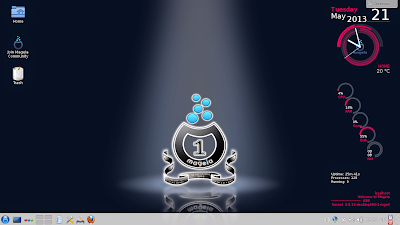
To be honest, I have used quite a few KDE distros in last couple of years but never saw a resource efficient distro like Mageia 2. Under similar conditions, Mageia performed better than almost all the KDE distros I have used. Plus, with Mandriva Linux going commercial and PCLinuxOS becoming independent of Mandriva, Mageia and ROSA are perhaps the limited ways to know what's brewing in the Mandriva camp. Incidentally both the Mandriva derivatives present really beautiful KDE distros!
From Mageia 3 KDE http://mylinuxexplore.blogspot.in

With such a background and rich legacy, it is not surprising that Mageia enjoys a huge fan following in the Linux world. For me, the release of Mageia 3 was one of the most anticipated releases of the first half in 2013, after Debian Wheezy and Ubuntu Raring Ringtail. The release announcement of Mageia 3 promises of absolutely the very latest version of Linux kernel and applications, another reason for me to test Mageia's to ascertain it's stability.

"All grown up and ready to go dancing - Mageia 3 is out. We still can't believe how much fun it is to make Mageia together, and we've been doing it for two and a half years. Major new features: updates to RPM (4.11) and urpmi, which has been given a good turnout and cleanup; Linux kernel 3.8; systemd 195; GRUB is the default boot loader; GRUB 2 is available; revamped package groupings for installation and rpmdrake; KDE 4.10.2, GNOME 3.6, Xfce 4.10; LibreOffice 4.0.3; Steam for Linux...."
I downloaded the 32-bit LiveDVD KDE (~1.4 GB in size) for this review. I used Imagewriter (Linux Mint one) to first create a live USB. I did a live boot followed by installation on my Asus K54C with 2.2 Ghz Core i3 processor and 2 GB RAM. Mageia 3 KDE version has KDE 4.10.2 with kernel 3.8 with Dolphin 2.2 as the file manager.

Read more!

Saturday, March 2, 2013

ROSA Desktop Fresh 2012: Very efficient & elegant stock Gnome 3 distro

I have been following ROSA Linux since 2012. Now that possibly not everything going right for Mandriva Linux, the emergence of ROSA has assumed paramount significance. ROSA has not only enhanced the Mandriva based, but also created its own very distinct theme, especially for KDE. Even I am an ardent admirer of the unique design that ROSA brings on the table. Every ROSA release so far has been very refined and amazingly attractive.


From ROSA Fresh 2012 http://mylinuxexplore.blogspot.in
Like ROSA Marathon Gnome, even ROSA Desktop Fresh 2012 also brings a lot of freshness to otherwise boring Gnome 3, though the limitations of Gnome 3 is still there. Though the distro name says 2012 but the final release came on 12 Feb 2013. ROSA fresh provides option to use Gnome 3 and Gnome fallback at the login. I downloaded the 32-bit version, ISO is about 1.1 GB. Gnome 3.6.2 is the default desktop environment with Linux kernel 3.6.10 with Files 3.6.3 is the file manager. I installed ROSA Desktop Fresh on my Asus K54C with 2.2 Ghz Core i3 processor and 2 GB RAM for testing.

Read more!

Tuesday, August 14, 2012

ROSA Marathon 2012 Gnome Review: Complete but may not be as fresh as a dew

Honestly, I missed the ROSA 2012 LXDE announcement, which critics say is quite good. So, I decided to download the ROSA 2012 Gnome release which came in early August. Those who follow the Linux news, would know that all is not well with Mandriva. Having used Mandriva earlier, before shifting to Ubuntu, I decided to test Rosa 2012 Gnome which is a fork of Mandriva Linux.

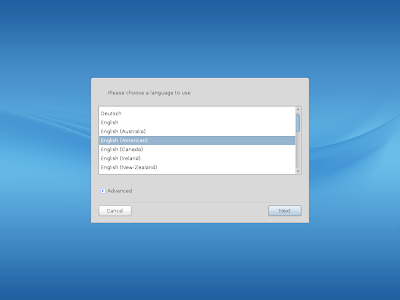
I downloaded the 1.3 GB ISO from its site. The boot up in virtualbox was quick but unlike other distros, it asked me my preferred language, location, keyboard, etc. which is quite unusual for modern day Linux. Later, I understood, ROSA supports a lot of European languages like French, German, Italian, Portuguese, Romanian, Russian, Spanish and Ukranian, apart from English. Hence, all these queries before booting up.

From ROSA 2012 Marathon

From ROSA 2012 Marathon
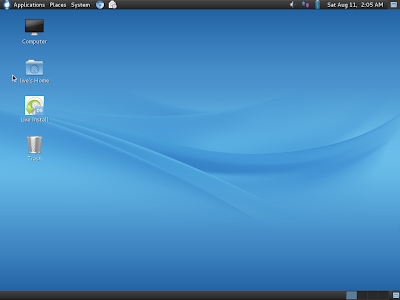
The desktop interface is pure Gnome 2. Similar to Snowlinux 3 Crystal, it is Gnome 2 with the LTS Linux Kernel 3.0.38 (Snowlinux has 3.2.0). I like Gnome 2 more than Gnome 3 as it is more customizable, even by a novice Linux user.

From ROSA 2012 Marathon
Applications
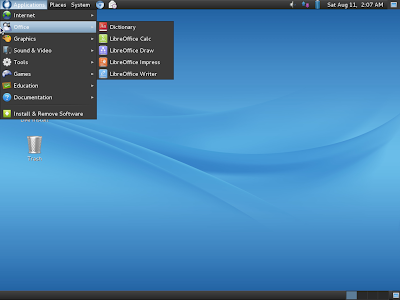
ROSA 2012 has almost all the essential apps you would expect like complete LibreOffice suite, Chromium browser with default flash support, Pidgin chat, Evolution mail and calendar, Cheese webcam, GIMP, Rhythmbox, etc. All in all, it provides a complete package to you without burdening yourself to download additional apps for regular use. Of course, you can download additional software from the last element in the menu.

From ROSA 2012 Marathon
There are quite a few games (arcade, board, cards and puzzles) provided by default. I liked them and they are a good times pass, on Sunday lazy afternoon.

CPU and RAM Usage
Given Gnome shell, the RAM usage is sub-200 MB. However, ROSA 2012 is not as light as a Snowlinux 3, for example.

From ROSA 2012 Marathon
Overall
I liked the refined and clean interface of ROSA Gnome. Out-of-the-box applications are also quite rich in ROSA. Somehow, I wasn't convinced of it's software repository. I may be wrong, but my guess is it is not as rich as a Debian or a Fedora repo. I searched a lot of apps like VLC, Firefox 14, etc. and I couldn't locate them there. So, I wouldn't recommend it over a LinuxMint 13 Mate 1.2 or a Snowlinux, but if you need a smart-looking Gnome 2 distro and you're willing to experiment, you can take this up!

Screenshots are available in my Picasa album.


Read more!