Last night I did my bit with
OpenSUSE12.2 Gnome and is still thoroughly impressed by it. Next in line for
my test was the KDE counterpart. Personally, I prefer Gnome over KDE.
But, and surely but, given so many changes and versions and general
resource hungry-ness of Gnome 3, somehow my strong preference for
Gnome has gone down and instead I started liking KDE more. Further, I
see the number of good distros with KDE is increasing everyday.
Definitely KDE is doing somethings correct here!
To test OpenSUSE 12.2 KDE and its challengers, I used the
same laptop as in case of Gnome – Asus K54C laptop with 2.2 GHz
Intel 2nd Gen Ci3 processor and 2 GB DDR3 RAM. First, I did a live
usb boot and then installed the OS in around 8 GB space partitioned
specifically for testing Linux distros. Same laptop was used to test
out PCLinuxOS 12.08 and Kubuntu 12.04.1.
Coming to OpenSUSE 12.2, the 64 bit ISO
is about 694 MB in size. Live boot was quick and settings were
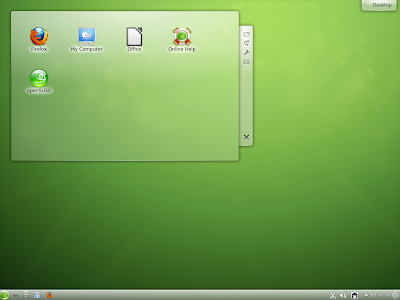
automatically detected. The interface is simple and clean with
typical OpenSUSE green wallpaper. The boot screen will be familiar to
Window 7 users with lights from different direction converging to
OpenSUSE logo! Interface is very refined and looks bright.
Applications
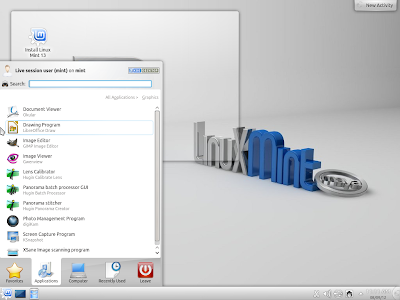
Application-wise, I would say, most of
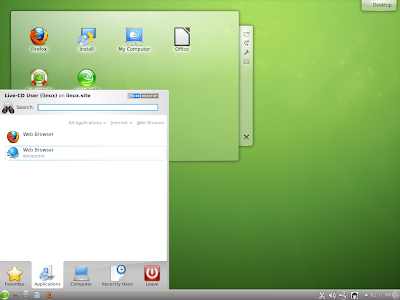
the basic applications are provided. Firefox 14 is the default
browser, with Konqueror (the KDE browser), micro-blogging client,
mail client and bit-torrent. No chat client is present by default.
LibreOffice 3.5 is in the ISO but no
LibreOffice Calc or Base. This is same as the Gnome version. You have
to download it from the software repository.
Multimedia section for KDE version is
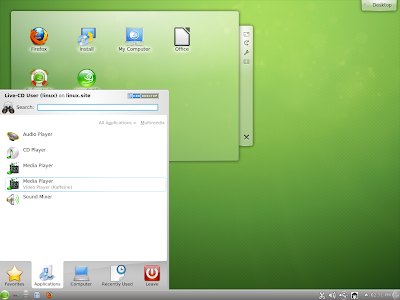
much better than the Gnome version – at least Amarok, a CD player
and Kaffeine (KDE video player) are there! But, restricted
audio/video codecs are not out-of-the-box for OpenSUSE and needs to
be downloaded. Once you open Kaffiene, it will ask your permission to
download audio-video codecs and there is a guide here as well, from
the OpenSUSE forums to help you out on it!
Graphics section is weak, primarily due
to the absence of a good image editor like GIMP, but the 2.8 version
can be downloaded from the repo.
However, whatever programs you want can
be downloaded through Software Manager in YaST. Also, you have
OpenSUSE compatible files from Skype, VLC, Chrome, etc which you can
install through YaST. I did all these for the Gnome installation and
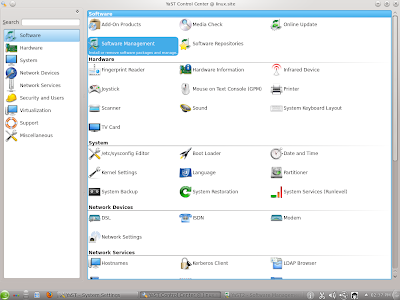
KDE won't be much different. YaST is really simple, intuitive and
good! It puts all your Software, Hardware, Security and other
settings at the same place and you don't need to go anywhere else.
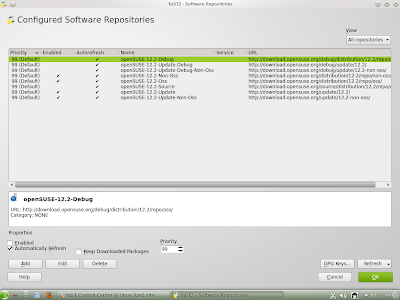 |
From OpenSUSE 12.2 KDE
Software repository is nicely organized into different sections.
|
Another good thing was the KDE version
immediately recognized my touchpad, unlike the Gnome counterpart.
Definitely a plus point of installing KDE edition from my side.
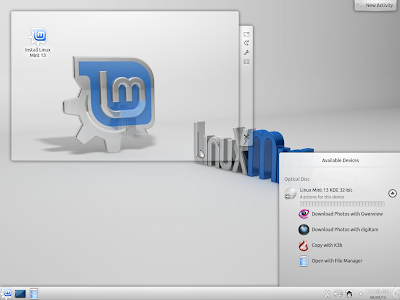
Once I was comfortable playing with the
live boot, I decided to install it. Installation was easy, mostly it
would recognize my laptop settings and entire thing takes about 5-10
minutes. I didn't face any issue of sound card, LAN, Wifi or display
when I booted up post installation.
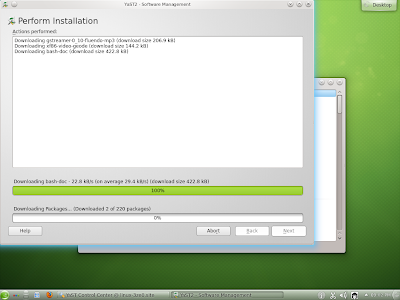
Post installation, I decided to install
Adobe flash KDE plugin first. Choosing the app from YaST was very
easy. Difficult part was when I saw 1.1 GB (220 updates) of updates were required
to be downloaded before installing Adobe Flash and Gstreamer codecs!
In Gnome edition, I had to download only 300 MB and that's it! Also,
the distro was released on 5th September and I was installing on 9th
September! What major calamity could have happened in between to
download a whopping 1 GB of updates. The developers should take care
of this and it is a definite let down for me. I haven't seen such a
download of updates in any recent distro I installed. And add to it, Firewall settings are such that post-update, internet won't work and you've to reset it to make it work. Definitely not a desired scenario for the new users who doesn't know the nitty-gritties of Linux.
So, I have kept the update download on
hold right now. I'll update it over next week. I guess installation
of Skype, VLC and other required software would be as easy as Gnome
edition and will keep you posted on this.
Comparison with Kubuntu and PCLinuxOS
Next comes comparison with
PCLinuxOSKDE 12.08 (32-bit) and Kubuntu 12.04.1 LTS 64-bit. I haven't included the Manjaro KDE
here intentionally as it is a just released distro. Though really
good, but it would be unfair to club with the already established names.
My analysis was based on the following parameters:
| Parameters | OpenSUSE 12.2 | Kubuntu 12.04.1 | PCLinuxOS 12.08 |
| Linux Kernel | 3.4.6 | 3.2.0 | 3.2.18 |
| KDE version | 4.8.4 | 4.8.4 | 4.8.3 |
| ISO Size | 694 MB | 736 MB | 1.3 GB |
| Installation complexity | Easy, just by choosing the default options, LVM gives the most
optimal option | Easiest inarguably! Takes just 2-3 minutes for settings if you
unplug internet. | Easy, space allocation for root and swap may be complicated for
newbies |
| Installation time | 5 min., if you choose LVM option | 30 min, because of language pack, hardware settings, etc., even
without internet! However, somewhere it gets stuck and it took me
4 attempts to successfully install it! | 15 minutes, unless you complicate the HD space allocation |
| Software-by-default | Limited but intelligently chosen. Given the ISO size, I would
say, quite good. Notable omission LibreOffice Calc. | Good, but Firefox is not present and needs to be downloaded.
Out-of-the-box apps are more than OpenSUSE. | Richest, has everything you dream of incl. Virtualbox, VLC,
Skype (2.2 though), GIMP 2.8 and what not! LibreOffice is full –
has Calc and Base as well. All restricted codecs and flashplugin
by default. |
| Post install update | 1.18 GB | 100+ MB | 107 MB |
| Repository | Very updated, quite rich & external apps available. 1-click
install via YaST is helpful to install external apps. Software
Manager in YaST is very functional and easy to operate. | Richest undoubtedly. Ubuntu Software Manager is really easy to
operate. | Rich but not very updated, compatible rpm packages available
externally. However, installation process is not easy through
synaptic. |
| CPU Usage | 2% | 6% | 6% |
| RAM Usage | 389 MB | 387 MB | 241 MB |
| Touchpad recognized by default | Yes | No | Yes |
| Complexity of settings | YaST simplifies and puts all settings at the same place. | Simple,
| Simple, everything at the same place with a shortcut at the
left bottom panel |
| Ease of Use | Smooth and easy to use. | Smooth and easy to use. | Smooth and easy to use. |
| Supported till | 18 months, or March 2014 | 5 years, or March 2017 | Rolling release |
| Issues | None. Sound, LAN, wifi, camera, etc recognized and worked well | None. Sound, LAN, wifi, camera, etc recognized and worked well. | None. Sound, LAN, wifi, camera, etc recognized and worked well |
Now, OpenSUSE KDE is surely better than
Kubuntu 12.04.1 which took me 4-5 attempts to install! Further,
OpenSUSE 12.2 has a more updated Linux kernel and KDE desktop than
PCLinuxOS 12.08. Repository is richer, YaST is more functional than
Synaptic for PCLinuxOS.
But, if you talk of out-of-the-box apps,
nothing beats PCLinuxOS 12.08! Every app that you may use or think important, is there! However, not all apps have the latest version in the ISO or the repository, e.g.
Skype is 2.2. Also, within 4 days of release OpenSUSE required over 1
GB of updates to be downloaded and even after more than 2 weeks of
release, PCLinuxOS 12.08 required only 100 odd MBs of updates!
The RAM consumption difference between PCLinuxOS and OpenSUSE can be best ignored as PCLinuxOS is 32-bit. There is no specific 64-bit edition for PCLinuxOS, though the developers say the same ISO works on 64-bit machines as well.
Which is the best KDE distro?
So, in overall, both OpenSUSE 12.2 and
PCLinuxOS 12.08 performed better than Kubuntu 12.04.1 LTS on my machine.
OpenSUSE, possibly, is the most refined of the lot and has a better
application repository with better installation process (YaST). If
you can tolerate the 1 GB of updates, it is a pretty stable and solid
distro for you. PCLinuxOS 12.08 on the other hand provides you with a
more complete experience, has a rolling release but may not have the
most updated softwares to offer. My ranking based on all the parameters above is:
OpenSUSE 12.2 KDE, for being
stable and the most updated for the three and a brighter default
desktop
PCLinuxOS 12.08, for being stable and offering a complete experience to the users; but its software repository is not updated as frequently as the other two
Kubuntu 12.04.1, you have to be
really patient to install and use it. It didn't recognize my
touchpad and no Firefox as well!
OpenSUSE 12.2 KDE is surely ahead of Kubuntu 12.04.1 but with PCLinuxOS 12.08, it has a tough choice. I put OpenSUSE marginally ahead because of its rich repository.