Showing posts with label Unity. Show all posts

Sunday, March 10, 2013

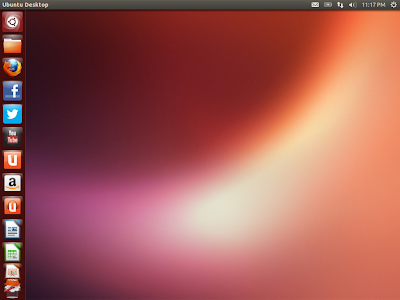
Ubuntu 13.04 Raring Ringtail Daily-build Review: With latest apps and a better looking Unity

With every progressing release, Unity desktop is getting significantly better. In Natty and Oneiric, I actually hated Unity for it's inefficiency and decided to stick to Linux Mint and Sabayon for the time being. However, with Ubuntu Precise 2nd update (12.04.2), my opinion on Unity actually changed. Though still not customizable but efficiency has increased, apps stopped crashing in the background, annoying pop-ups are gone and Unity has now become far more responsive than where it was in the beginning. Also, after using Gnome 3 in Fedora and OpenSUSE, I now understand why Ubuntu stayed away from the default Gnome 3 DE and leaned towards Unity. Agree, the strip hogs a bit of space on the left hand side but you can actually make it thinner and hide while using applications.


From Ubuntu 13.04 http://mylinuxexplore.blogspot.in
My sole purpose of downloading the daily build of Ubuntu Raring Ringtail and using it for a week, was to assess what incremental changes to expect in Unity for the April release. I downloaded the 816 MB ISO from here and did an installation on my Asus K54C laptop with 2.2 Ghz Core i3 processor and 2 GB RAM.

Read more!

Saturday, March 2, 2013

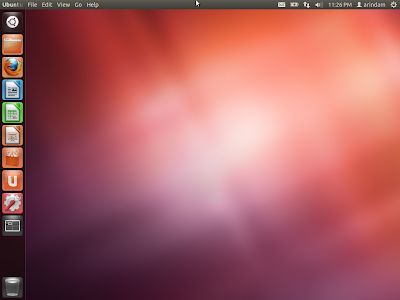
Ubuntu 12.04.2 LTS Review: Now I like Unity!

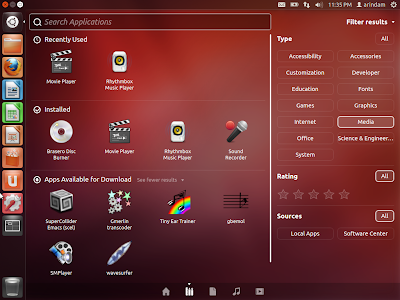
Ubuntu 12.04 LTS is possibly one of the most landmark long term release for Ubuntu and Canonical for a couple of reasons. Number one, it is the first long term release with Unity desktop. Second, first time the LTS is supported for 5 years. Love it or hate it, Unity has now become synonymous with Ubuntu. And after reviewing a lot of distros with stock Gnome 3 as desktop, I now understand why canonical didn't pursue Gnome 3. Unity, at least, is intuitive and easier to use even for a Linux novice. If that right side strip irritates you, simply check the auto-hide option. Agree, customisation is sacrificed if you use Unity, but it looks elegant.

From Ubuntu 12.04.2 LTS http://mylinuxexplore.blogspot.in

From Ubuntu 12.04.2 LTS http://mylinuxexplore.blogspot.in
The primary issues bothering Unity, in my experience, were high resource usage and instability - the reasons for which I quit Ubuntu to use Linux Mint, which I found to be much more stable. In Ubuntu 12.04 LTS first release, just to load Unity required about 400 MB of RAM for the 32-bit OS. With 12.04.1 LTS, RAM and CPU usage dropped significantly - it took about 280 MB of RAM and 1-10% CPU usage. However, applications crashing in the background (though not shutting down the system) was always a pain even in Ubuntu 12.04.1 LTS.

Read more!

Saturday, February 16, 2013

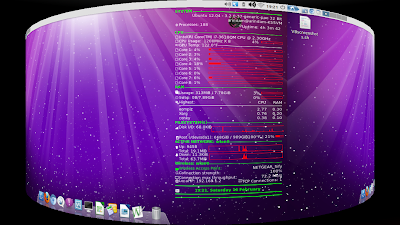
How to customize and decorate Ubuntu desktop? Simple steps to customize Linux Desktop: Give your Fedora or Ubuntu a face-lift!

As I have been saying in my last few articles, Linux desktops like Gnome, KDE, LXDE, XFCE, etc. (except Unity) can be customized - so much that even at times it becomes difficult to identify what desktop environment (DE) actually it is! I do some very basic level customization to give a face lift to otherwise bland DEs like LXDE, XFCE, Openbox, etc. and in this article I'll take you through customization involving
  • Transparent panels (LXDE, XFCE)
  • Docky or Cairo dock
  • Conky
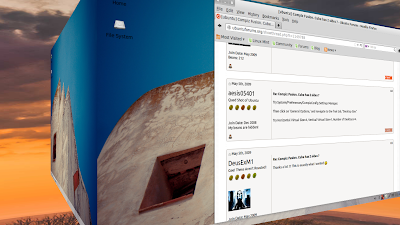
  • Compiz and desktop cube (couldn't do it in Unity, other than that it works will rest of the DEs)
From Enabling Desktop Effects in Linux http://mylinuxexplore.blogspot.in

Read more!