Showing posts with label fedora. Show all posts

Saturday, February 28, 2015

Korora 21 "Darla" Cinnamon Review: Linux Mint of Fedora world

Korora has always impressed me as an easy to use Fedora repackaged with all bells and whistles. Korora was born out of a desire to make Linux easier for new users, while still being useful for experts. The main goal of Korora is to provide a complete, easy-to-use system for general computing. Originally based on Gentoo Linux in 2005, Korora was re-born in 2010 as a Fedora Remix with tweaks and extras to make the system "just work" out of the box. I downloaded the 1.75 GB 64-bit ISO of Korora 21 Cinnamon for this review.

Korora 21 ships with Cinnamon, KDE, GNOME 3 and XFCE flavors. I chose Cinnamon as I never used a Fedora with Cinnamon DE. Further, Cinnamon as a DE seems more appealing to me these days for it's customization options over any other DE.

Korora 21 comes with Cinnamon 2.4 and Linux Kernel 3.18 series. Nemo is the default file manager in the distro.

From Korora 21 Cinnamon http://mylinuxexplore.blogspot.in


Read more!
Tuesday, December 24, 2013

Fedora 20 "Heisenbug" KDE Review: With KDE 4.11.4 & kernel 3.12 now, bleeding edge but stable!

Honestly when I started using Linux back in 2009, I didn't like Fedora much. Ubuntu was my choice for being easy, fast and efficient. However, as I matured as a Linux user, my fondness of Fedora increased. I reviewed Fedora 19 in July 2013 and was very impressed with the performance it offered. Fedora's latest release Fedora 20 "Heisenbug", named after a bug, was released on 17-Dec-2013. This year witnessed 3 Fedora releases and having used all of them, I had built my expectations - I didn't expect anything radically different but functional incremental innovation over tried and tested desktops. I guess Fedora 20 lived up to my expectation in some aspect and not fulfill in certain others. I'll take you step by step through my experience of using Fedora 20 KDE over the last one week or so.
Fedora 20 comes in all popular flavors: KDE, GNOME 3, XFCE, LXDE and Mate. I start my review with the KDE spin, I liked it most while reviewing Fedora 19. I downloaded the 928 MB 64-bit ISO and used Mint Imagewriter to create a live USB. I did a live boot and then installed on my Asus powerhouse (K55VM, Core i7 2.3 Ghz quad core processor 3610QM, 8 GB DDR3 RAM and NVIDIA 630M GeForce hybrid graphics). 

When I installed Fedora 20 shipped with KDE 4.11.3 and kernel 3.11.10. However, 3 days ago I received update for KDE 4.11.4 and kernel got updated to 3.12.5. Think about it - Fedora users have already started using the 3.12 kernel and Ubuntu users will receive it in April 2014 once 14.04 LTS release comes out! Fedora is definitely bleeding edge!

Fedora 20 still ships with X window system and I guess we need to wait a bit for Wayland. I guess in 2014 we get to see Wayland in Fedora and Mir in Ubuntu. Anyway, being a casual user, I feel I won't even notice much difference between the two!

In this review, I start with aesthetics, hardware recognition, applications, bugs that I noted, good points that I noted and finally, performance compared to other relevant KDE distros that I've used on this machine.

Read more!

Sunday, October 6, 2013

Hanthana 19.0 Review: Sri Lankan spiced up Fedora, has some bugs but quite good in overall

The prime issue that I faced while migrating to Fedora from Ubuntu was the complexity involved in installation of proprietary codecs and flash plugins. Hanthana Linux is a step in that direction to provide new users a ready to use Fedora OS with all plugins and codecs along with a whole lot of applications. The concept is not novel though - Korora (formerly Kororaa) has both KDE and GNOME 3 spins on a similar concept.


From Hanthana 19.0 http://mylinuxexplore.blogspot.in
For this test, I downloaded the bulky 4 GB 32-bit ISO and created a bootable DVD. Neither Unetbootin, nor Fedora live usb creator worked even on an 8 GB pen drive. Anyway, the DVD is RW and I can utilize it for other purposes as well.So, no issues from my side.

Hanthana 19.0 is based on Fedora 19.0 and ships with GNOME 3.8.4 and Linux kernel 3.11.2. I used my Asus K54C (2.2 Ghz Core i3 processor, 2 GB DDR RAM, Intel HD 3000 graphics) for this purpose. First I did a live boot from the DVD and then installed it on a 20 GB partition.

Read more!

Saturday, July 6, 2013

Fedora 19 Review: Not flashy but very dependable, KDE being the best of the lot!

2013 has been an exceptional year in a sense that Ubuntu, Fedora and Debian, the three major Linux distros, had their releases this year. Debian 7 finally got released, Ubuntu came up with a better Unity along with more social integration and it is now turn of Fedora to showcase it's latest offering. I was really interested to know Fedora 19 - whether the latest Fedora is able to live up to the other two illustrious counterparts plus what's brewing in RHEL stable.


From Fedora 19 http://mylinuxexplore.blogspot.in
With the Fedora 19 release note coming out on 2-July-2013, I was quick to download the 32-bit versions of all available variants - KDE, GNOME, XFCE and LXDE. The release note states of incremental improvements for developers, like:
"The Fedora Project is delighted to announce the release of Fedora 19. What's new? Developer's Assistant is a tool for new developers that helps you to get started on a code project by offering templates, samples, and toolchains for a variety of languages; 3D modelling and printing are supported with OpenSCAD, Skeinforge, SFACT, Printrun, RepetierHost, and other tool options; OpenShift Origin makes it easy for you to build your own Platform-as-a-Service (PaaS) infrastructure; MariaDB offers a truly open MySQL implementation and is now the default MySQL option in Fedora...."
I am no developers and my review is from an ordinary Linux user perspective. I first created live USB using Unetbootin for all the variants and then installed each of them in my Asus K54C with Core i3 processor and 2 GB RAM, one by one. I tested each, for a day or two, for this review. Fedora 19 has Linux kernel 3.9.5, which gets upgraded to 3.9.8 post installation. Major differences between them are the desktop environments and some applications (e.g. LXDE was loaded with primarily lightweight applications), with essentially the basic structure remaining the same. The DEs used in Fedora 19 are:
  • GNOME 3.8 with Files 3.8.2 as file manager
  • KDE 4.10.4 with Dolphin 2.2 as file manager
  • XFCE 4.10 with Thunar 1.6.3 as file manager
  • LXDE with PCManFM 1.1.0 as file manager

Read more!

Friday, April 19, 2013

Fuduntu 2013.2 Review: As ever - Simple, Effective, fast and now with added Steam!

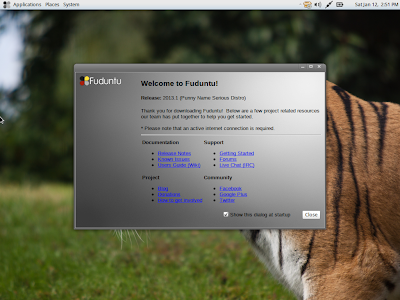
This year January, I reviewed the 2013.1 update from Fuduntu and was extremely impressed by it. Since then Fuduntu has been one of my favorite distros and I use it on my netbook, dual boot with Linux Mint 13 XFCE. Fuduntu, though the name has resemblance to Ubuntu in it, is more of Fedora with the advantage of rolling release. However, to me it is truly Fedora + Ubuntu, as it combines the simplicity and professionalism of Fedora with the fun of Ubuntu. It means that once you install it, you need not re-install it again - by just downloading the updates, your system has always the latest release.With the present release, Fuduntu also comes with a Fuduntu Lite version for advanced users and netbooks, which actually provides the basic shell without much pre-installed applications. For this review, I used the Fuduntu "heavy" version only - may be I'll take Fuduntu Lite next time.

From Fuduntu 2013.2 http://mylinuxexplore.blogspot.in
My present review is not based on the upgraded Fuduntu from my netbook but from a fresh installation of the latest Fuduntu 2013.2 32-bit on my Asus K54C with 2.2 Ghz Core i3 processor and 2 GB RAM. I avoided reviewing based on the pre-existing installation I have as it has a lot of customization. I downloaded the 1.1 GB 32-bit ISO of Fuduntu 2013.2 and at first did a live boot followed by installation. One note here, Unetbootin doesn't work with Fuduntu but Imagewriter (the Linux Mint one) works well to create a live-USB.

Read more!

Saturday, February 16, 2013

How to customize and decorate Ubuntu desktop? Simple steps to customize Linux Desktop: Give your Fedora or Ubuntu a face-lift!

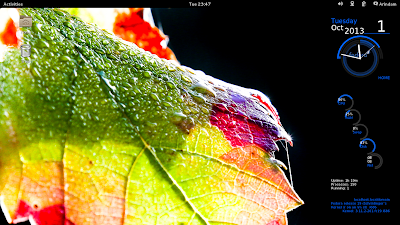
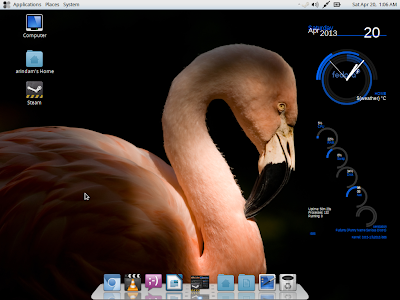
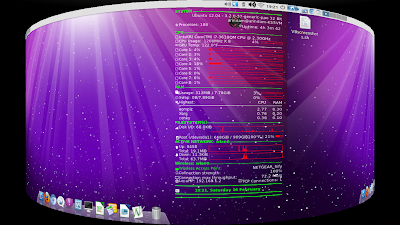
As I have been saying in my last few articles, Linux desktops like Gnome, KDE, LXDE, XFCE, etc. (except Unity) can be customized - so much that even at times it becomes difficult to identify what desktop environment (DE) actually it is! I do some very basic level customization to give a face lift to otherwise bland DEs like LXDE, XFCE, Openbox, etc. and in this article I'll take you through customization involving
  • Transparent panels (LXDE, XFCE)
  • Docky or Cairo dock
  • Conky
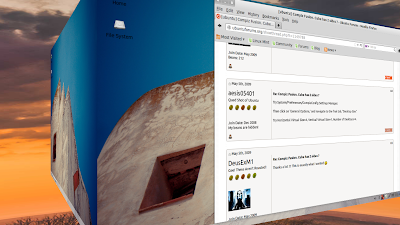
  • Compiz and desktop cube (couldn't do it in Unity, other than that it works will rest of the DEs)
From Enabling Desktop Effects in Linux http://mylinuxexplore.blogspot.in

Read more!

Friday, January 18, 2013

Fuduntu 2013.1 Review: Simple, effective and fast!

Fuduntu Linux was initially conceptualized to be somewhere between Fedora and Ubuntu by Andrew Wyatt - possibly to combine the fun of Ubuntu with the professionalism of Fedora, I guess. The distro is currently forked from Fedora and has rolling releases with four major updates coming in 2012. Continuing with the same trend, on 7th Jan'13, the first updated release of this year came out for Fuduntu with version 2013.1. With the release note in Distrowatch stating some major changes like moving to Cairo dock from AWN, Jockey to check hardware and detect the drivers required, no Jupiter, addition of Netflix and making Silverlight to work in WINE, nVidia optimus compatibility, still maintaining support for Gnome 2, etc., I was more than interested to actually try it out hands on.

From Fuduntu 2013.1

Further, given its Mac-ish looks, another intention was to compare with other Linux Mac OS X clones from Ubuntu derivatives, like Pear OS, Elementary Linux and Luninux. I'll add this week Fuduntu to the comparison I made of the Linux Mac OS X clones during December 2012. Now coming back to Fuduntu, I used my Asus K54C laptop (2.2 Ghz Core i3 with 2 GB RAM) to test this distro after installation. Also, I booted it up on my Asus EeePC 1101HA with 1.33 Ghz Intel Atom processor and 1 GB RAM, to check out if it still supports EeePC, for which Fuduntu was originally designed and also, it's performance in limited specs.
 
From Fuduntu 2013.1
Fuduntu has Gnome 2.32 as desktop environment (YES, pure Gnome 2 and not Mate!) and Linux kernel 3.6.9. I found hardware recognition very good with sound card, graphic drivers and touchpad properly recognized. The desktop looks clean and nice - kind of Elementary Linux look it has. Now Cairo dock has replaced AWN and it has added to the looks of the distro. Further, the developers have taken care of art-work really well as evident from attention to minute details like boot up screen, etc. Nautilus elementary is the file manager and it is fast and supports most of the commonly required functionalities.

From Fuduntu 2013.1

Applications
Fuduntu is decently rich in applications, the prominent ones being:
  • Office: Document viewer, LibreOffice 3.6 Calc, Writer, Draw
  • Internet: Chromium 23, Dropbox, Pidgin, Remmina remote desktop, Thunderbird 17
  • Graphics: GIMP 2.8, Shotwell
  • Multimedia: Brasero, Cheese, VLC 2
  • Accessories: Archive Manager, Calculator, gedit, Shutter (Screenshot), Cairo dock
From Fuduntu 2013.1
From Fuduntu 2013.1
From Fuduntu 2013.1
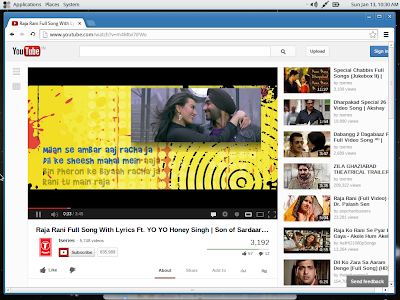
The developers could have provided the complete LibreOffice suite here. Other than that, the apps provided are good enough for everyday requirements. Multimedia codecs and Adobe flash player are in-built and I could play my favorite youtube videos and watch movies immediately after boot up or installation, without requiring to update the system. Below table shows a composite score for the applications in the distro:

-->
Fuduntu 2013.1 Score
App – Office 10.00
App – Internet 7.50
App – Graphics 7.00
App – Multimedia 10.00
Applications 8.63

Apart from general applications, Fuduntu repository has Netflix (working through Wine). It took me about 30 minutes to download Netflix desktop metapackage with all analogous components. It downloaded Wine, MS fonts, Firefox browser for Windows, among other things. However, in spite of spending a couple of days, I could not actually make it work. It would start and then crash. I reinstalled it at least three times but nothing worked. I'll try again tomorrow and will post an update if I am successful.

This small blip aside, rest of the things worked without any pain. The OS is real smooth to use and is really simple. Cairo dock is fun to use and has subtle animations which don't hamper with productivity. Further, Cairo has a lot of themes and if you are bored with a Mac-ish docky you can easily change theme of the Cairo dock to make it look like something else.

From Fuduntu 2013.1

Installation
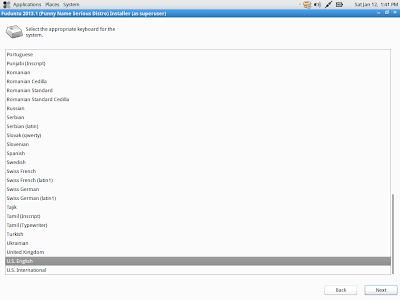
Installation is easy and is similar to Fedora. I guess Fuduntu 2013.1 too uses Anaconda installer but unlike Fedora, it doesn't show the name. Otherwise steps are simple: keyboard language, location to install, location (geographic), root password creation followed by installation to the hard disk and then things are completed with user id creation and password allocation. Fuduntu installer takes care of where to install grub and other details and doesn't bother the user unnecessarily. All in all, it takes about 15-20 minutes. Pretty easy and efficient even in newbie standards!

From Fuduntu 2013.1
From Fuduntu 2013.1
From Fuduntu 2013.1
From Fuduntu 2013.1
From Fuduntu 2013.1
From Fuduntu 2013.1
From Fuduntu 2013.1
From Fuduntu 2013.1
From Fuduntu 2013.1
From Fuduntu 2013.1

Repository
Like Fedora, Fuduntu uses the Yum package manager and there are separate icons for Add/Remove Package (gpk-application 2.32.0) and Software update in the Systems -> Administration section of the menu. Post installation initial update can be done through Software Update or via the terminal, if you are an expert. Terminal command is similar to Ubuntu, only package manager name changes here, viz "sudo yum update && sudo yum upgrade" and it works like a charm!

From Fuduntu 2013.1
Incidentally Sudo didn't work in earlier versions of Fuduntu and is supported from the present version onwards. I checked the repository, though it is sourced from Fedora rpm packages, Fuduntu maintains it's own repository and it is fairly updated. Most of the regular applications are present and is quite good. Below pictures show the repo GUI (which has a resemblance to synaptic) and how easy it was for me to install Firefox 17 from the repo.

From Fuduntu 2013.1
From Fuduntu 2013.1
From Fuduntu 2013.1

Performance
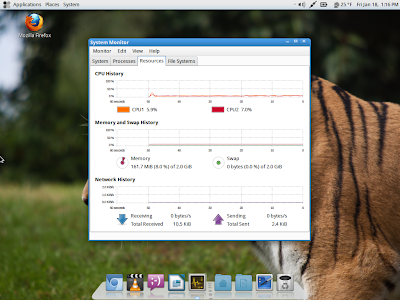
Fuduntu 2013.1 performs actually better than most of the XFCE distros on my laptop. To load the desktop with system monitor running, it takes about 155-165 MB RAM and 1-5% CPU. Also, Fuduntu booted up on my Asus EeePC 1101HA netbook and I could use it without any stress to the system. Pretty efficient I would rate and below is a comparison with some leading Mac OS X look-alike distros released in 2012 in similar conditions on the same machine. Being a Gnome 2 distro, Fuduntu actually performs way better than the Ubuntu derived Mac OS X clones, though its aesthetics may not be comparable to, say, Pear OS 6.

-->
Parameters Elementary OS Beta 1 Pear OS 6 LuninuX 12.10 Fuduntu 2013.1
Size of ISO 651 MB 862 MB 1500 MB 1 GB
Booting time (post installation) 20-30 sec 20-30 sec 20-30 sec 20-30 sec
Desktop Pantheon, Gnome derivative Pear Aurora 1.0.5 Gnome 3.6 with Docky Gnome 2.32.0
Linux kernel 3.2.0 3.2.0 3.5.0 '3.6.9
CPU Usage (post installation) 1-5% 1-5% 1-5% 1-5%
RAM usage (post installation) 270 MB 235 MB 280 MB 162 MB


From Fuduntu 2013.1

Overall
To my mind, Fuduntu is definitely not a "punny" distro, rather a real "serious" one! Funduntu 2013.1 impressed me a lot with its simple and uncluttered desktop interface, incredible speed, resource efficiency and high functionality. It reminds me a lot of Elementary OS (Ubuntu derived and has Pantheon desktop, forked from Gnome 3). I could not use Netflix (through Wine) even after repeated effort and I'll check if I can resolve it. Other than that, I found it stable and things didn't crash while using for a week or so. The distro looks good and is aesthetically pleasing. Use of Cairo dock has actually improved the aesthetics over use of square boxed docky in previous editions. In my scale of 10, based on the evaluation I give Fuduntu a score of 9/10. The breakup is given below:

-->
Fuduntu 2013.1 Score
Installation time 10.00
Installation Complexity 10.00
Touchpad/Wifi Detection 10.00
Applications 8.63
Aesthetics 8.00
Performance (Core i3 – installed) 10.00
Overall 9.00


As you can guess, a definite recommendation from my side and a must have for Gnome 2 lovers! You can download the latest edition of Fuduntu from here. Both 32 and 64 bit versions are available.

20th Jan 2013: On more addition, for last few days I am using Fuduntu as the only distro on my netbook, Asus EeePC 1101HA with 1.33 Ghz Intel Atom processor and 1 GB RAM. Really low powered machine by today's standards, no doubt. Fuduntu runs blazing fast on it, post removal of all desktop special effects. Further, I am impressed with it's juice saving ability - the netbook runs for 6 hours on battery and it's unprecedented from any Linux distro I have used on this machine! Performance is really good and no issues there. I installed uget download manager and Firefox 17 from Fuduntu repo and Skype 4.1.0.20, downloading the RPM files from Skype website. All of them worked as expected. Further, I used Conky Lua to decorate my desktop and below is a screenshot of the same.


One issue that I am facing is that the Anaconda installer automatically allotted about 50 GB space for root and another 100 GB for home directory from the available 150 GB hard disk space. Now the 50 GB for root is unusable as I don't have write access. I tried re-installing Fuduntu quite a few times but couldn't find a way to reduce the space allocated to root. And out of the 50 GB, 45 GB is free! But, I can't use :). Anyway, I am trying to find a solution to the same. Space issue aside, perhaps this is one of the better distros I have used which looks attractive, performs well and is easy to use.

Read more!

Tuesday, June 19, 2012

Conky: Some great looking conkies for your linux desktop

Conky really can make a desktop look a lot more attractive. If you are not familiar what is a conky, definition is given below from the mother site:

"Conky is a free, light-weight system monitor for X, that displays any information on your desktop. Conky is licensed under the GPL and runs on Linux and BSD"

I was searching for some great looking conkies yesterday and found some really cool ones.

But, for n00bs, you need to install conky from software repository. In terminal, type
$sudo apt-get install conky-all

For debian, type it without sudo in the root terminal. It's a small file with will get installed in seconds.

Conky lua is currently my favorite and I am using it for both my computers.

CONKY LUA


Doesn't it look awesome? A more closer look at the conky:


Lua has versions for Debian, Ubuntu, Fedora, etc. Download the file from here. Instructions to install are pretty simple:

1. Put "conkyrc" into ~/.conky
2. Put "clock_rings.lua" into "~/.lua/scripts
3. Run conky: conky -c ~/.conky/conkyrc

You can put it at the startup applications to automatically start the conky, whenever your computer is switched on. It works well with Ubuntu 12.04 LTS and Debian Squeeze - I have checked both. Works well with XFCE as well.

Also other conkies which caught my attention, I have used some but haven't all in the list below. The links to download the conkyrc and other files are given below with a glimpse of the conkies.

FUTURISTIC CONKY


FIENZA CONKY 
(English Version also available)


CONKY8 2 CORES


http://gnome-look.org/CONTENT/content-pre1/150601-1.png

CONKY LUA NEXT GEN


CONKY SONOGRAPH


HTC HOME CONKY


WINDOWS 8 METRO STYLE CONKY


DREAM CONKY


These are some of my favorite conkies. You can check Gnome-look for more conkies.

In most of the cases conkies are easy to configure. Also, they make desktop really cool. Try out some conkies if you are using Linux.

Read more!