Showing posts with label performance. Show all posts

Sunday, March 10, 2013

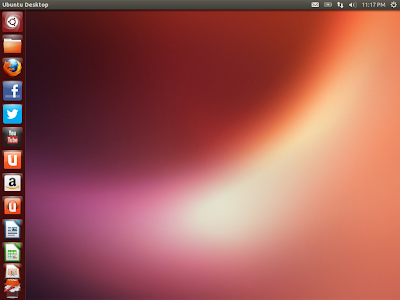
Ubuntu 13.04 Raring Ringtail Daily-build Review: With latest apps and a better looking Unity

With every progressing release, Unity desktop is getting significantly better. In Natty and Oneiric, I actually hated Unity for it's inefficiency and decided to stick to Linux Mint and Sabayon for the time being. However, with Ubuntu Precise 2nd update (12.04.2), my opinion on Unity actually changed. Though still not customizable but efficiency has increased, apps stopped crashing in the background, annoying pop-ups are gone and Unity has now become far more responsive than where it was in the beginning. Also, after using Gnome 3 in Fedora and OpenSUSE, I now understand why Ubuntu stayed away from the default Gnome 3 DE and leaned towards Unity. Agree, the strip hogs a bit of space on the left hand side but you can actually make it thinner and hide while using applications.


From Ubuntu 13.04 http://mylinuxexplore.blogspot.in
My sole purpose of downloading the daily build of Ubuntu Raring Ringtail and using it for a week, was to assess what incremental changes to expect in Unity for the April release. I downloaded the 816 MB ISO from here and did an installation on my Asus K54C laptop with 2.2 Ghz Core i3 processor and 2 GB RAM.

Read more!

Wednesday, February 27, 2013

Sabayon 11 Mate Review: Very efficient but stripped down version

To begin with, Sabayon 11 release is not be missed. At least that is the evidence I got post using the Sabayon 11 XFCE and KDE releases. Hardware support is better than ever with complete EFI/UEFI and UEFI SecureBoot support, greatly improved NVIDIA Optimus support through Bumblebee, a selection of MySQL flavors, including Google MySQL and MariaDB, up to 14000 packages now available in the repositories per architecture, and much, much more. I already reviewed the XFCE and KDE releases and found both to be really really good. Next in line is the Mate version.

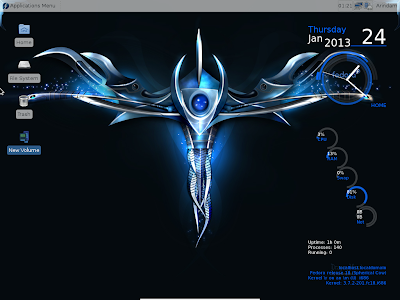
From Sabayon 11 Mate http://mylinuxexplore.blogspot.in
Sabayon 11 Mate 32-bit ISO is about 848 MB and comes with Mate 1.4.1 desktop with Linux kernel 3.7.0. Caja 1.4.0 is the default file manager. The ISO supports live-boot and I used my Asus K54C with 2.2 Ghz Core i3 processor and 2 GB RAM. It doesn't have NVIDIA graphics for the test. Using Unetbootin, I created a live USB. I used it to live boot on the laptop mentioned above followed by installation to a 16 GB hard drive.

Read more!

Thursday, January 24, 2013

Fedora 18 Spherical Cow LXDE Review: Among the best in LXDE

Fedora has always intrigued me to keep track of the latest happenings in the Linux world and especially what's brewing at the RHEL stable! Also, if I think of a comparable distro to Ubuntu, Fedora is the only legitimate choice! Just like Ubuntu, Fedora also inspires innumerable spins (like Kororaa, Fuduntu, of which I am a big fan now!). So, when the release note of Fedora came on 15th Jan, I was quick to download all the four versions (Gnome, KDE, XFCE and LXDE). I have already covered the Gnome, KDE and XFCE spins in my earlier reviews. The final review is on one of my favorite desktop environments - the LXDE.

From Fedora 18

My assessment is based on installation on Asus K54C laptop with 2.2 Ghz Core i3 processor and 2 GB RAM and experience of using it for the last 3 days. I downloaded the 32-bit ISO (686 MB in size) for this testing. Fedora 18 has LXDE DE with Linux kernel 3.6.10, which gets updated to 3.7.2 on first update. With kernel 3.7.4 released, I guess within a couple of days, even this will be upgraded as well. PCManFM 1.1.0 is the default file browser and it is one of the lightest file browsers available in the Linux world.

Read more!

Wednesday, January 23, 2013

Fedora 18 Spherical Cow XFCE Review: Works well but a bit bland!

Fedora has always intrigued me to keep track of the latest happenings in the Linux world and especially what's brewing at the RHEL stable! Also, if I think of a comparable distro to Ubuntu, Fedora is the only legitimate choice! Just like Ubuntu, Fedora also inspires innumerable spins (like Kororaa, Fuduntu, of which I am a big fan now!). So, when the release note of Fedora came on 15th Jan, I was quick to download all the four versions (Gnome, KDE, XFCE and LXDE). My earlier reviews were on the Gnome and KDE spins and this is the third in the series on the XFCE spin.

From Fedora 18

My assessment is based on installation on Asus K54C laptop with 2.2 Ghz Core i3 processor and 2 GB RAM and experience of using it for the last 5 days. I downloaded the 32-bit ISO (694 MB in size) for this testing. Fedora 18 has XFCE 4.10 with Linux kernel 3.6.10, which gets updated to 3.7.2 on first update. With kernel 3.7.4 released, I guess within a couple of days, even this will be upgraded as well. Thunar 1.6.2 is the default file browser in Fedora 18 XFCE.

Read more!

Tuesday, January 22, 2013

Fedora 18 Spherical Cow KDE Review: Pure KDE centric and works very well!

Fedora has always intrigued me to keep track of the latest happenings in the Linux world and especially what's brewing at the RHEL stable! Also, if I think of a comparable distro to Ubuntu, Fedora is the only legitimate choice! Just like Ubuntu, Fedora also inspires innumerable spins (like Kororaa, Fuduntu, of which I am a big fan now!). So, when the release note of Fedora came on 15th Jan, I was quick to download all the four versions (Gnome, KDE, XFCE and LXDE). My first review was on the Gnome spin and this is the second in the series on KDE spin.

From Fedora 18
My assessment is based on installation on Asus K54C laptop with 2.2 Ghz Core i3 processor and 2 GB RAM and experience of using it for the last 3 days. I downloaded the 32-bit ISO (844 MB in size) for this testing. Fedora 18 has KDE 4.9.5 with Linux kernel 3.6.10, which gets updated to 3.7.2 on first update. With kernel 3.7.4 released, I guess within a couple of days, even this will be upgraded as well. Dolphin 2.1 is the default file browser and it is one of the best file browsers available in the Linux world.


Read more!

Saturday, December 15, 2012

Comfusion 4.1 Review: Lightweight, attractive and feature packed Ubuntu 12.04.1 LTS spin

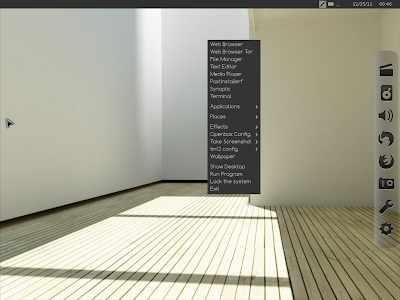
I heard of Comfusion as the Spanish version of Ubuntu earlier but have never used it before last week. Essentially it combines Ubuntu core with LXDE, Openbox & Mate desktops and some cool 3D effects using compiz. The latest version is Compiz 4.1, based on Ubuntu 12.04.1 LTS with Linux kernel 3.2.0.

From Comfusion 4.1

The 32-bit ISO DVD I downloaded is about 882 MB, which, I would say, is a moderate sized ISO considering most of the Ubuntu spins these days shell out ISOs exceeding 1 GB in size. Post download, I had to unzip the ISO to make it work. It's release note came on 8th December 2012.

Post downloading the ISO, I didn't go for a live-boot test this time but straight away installed it on the 8 GB partition I have for Linux testing on my Asus K54C 2.4 Ghz Core i3 with 2 GB RAM laptop. Comfusion offers three desktop GUI options, Openbox only, Openbox with LXDE and Mate 1.4.2. Openbox and LXDE have PCManFM 0.9.10 as file manager and Mate option has Caja 1.4.0. PCManFM is lightweight and blazing fast whereas Caja offers more functionalities.

From Comfusion 4.1
From Comfusion 4.1 with Mate 1.4.2


From Comfusion 4.1with minimalistic Openbox desktop
Installation
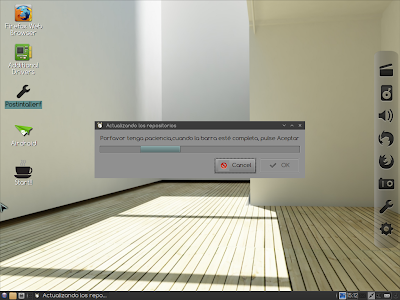
Installation is pretty similar to Ubuntu 12.04.1 and as simple as it can be. It just took me half an hour to install it with the latest updates and third party softwares like Adobe flash plugin, multimedia codecs, etc. Comfusion was up and running once I rebooted and without any hiccups. There is a post installer script to update the repositories and download additional updates without hitting the terminal. Unfortunately it is written in Spanish whereas the entire distro, incl. package manager GUI are in English, in the ISO I booted up. 

From Comfusion 4.1

Applications
Comfusion offers an interesting choice of applications. More or less the applications provided by default cover most of the basic needs, except office. A default list is provided below:
  • Internet: Firefox 17 with Adobe flashplugin 11, Pidgin, TeamViewer 7 running on Wine, Thunderbird 17 and Tor secure browser (essentially Firefox 10 ESR)
  • Graphics: Image Viewer, Simple Scan
  • Office: Dictionary, Document viewer, Gnumeric spreadsheets
  • Multimedia: Audacious for music, Gnome MPlayer to play videos, guvcview webcam, Record my desktop, TV on Linux
  • Accessories: Archive manager, Compiz & Emerald on off icons, leafpad, screenshot, terminal emulator, calculator, etc.
From Comfusion 4.1
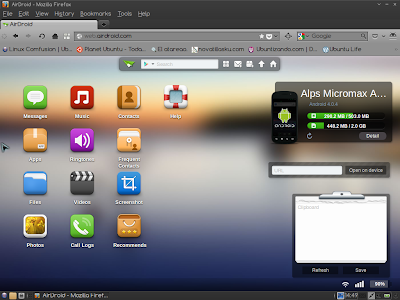
There are a couple of other entries in the internet menu, namely Airdoid and Bump, which I hesitate to call as applications. Essentially these are links which open on Firefox or any other default browser. Functionality offered by these applicatons is really good if you own an Android device or iPhone. In case of Airdroid, I successfully browsed and edited the contents of my Android phone from my computer by just plugging both the devices to the same Wifi network. Same with bump, if you want to save the pictures taken by your smartphone to your computer without having to plug in. Good options indeed but it can be done on any OS with a browser and capable of connecting to a Wifi network.

From Comfusion 4.1
From Comfusion 4.1
From Comfusion 4.1

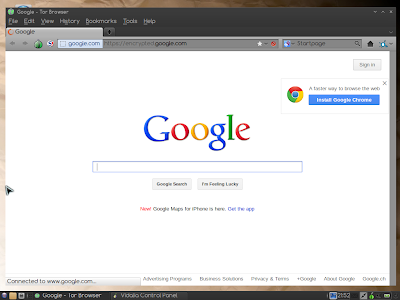
Tor browser bundle is the secure browsing option but it is tad bit slow for my taste. Otherwise, it can help in anonymous browsing, if you prefer to do so. Even the default Google page is encrypted on the Tor browser.


From Comfusion 4.1
One of the glaring misses I noted is a missing document editor. Another is PlayonLinux and some gaming softwares.The release note talks of Angry bots but I didn't any such game in the ISO itself. I imagine people who would like to see cool effects on their desktop would be interested in playing some cool games as well. Otherwise, Comfusion offers a decent set of basic applications.

Repository
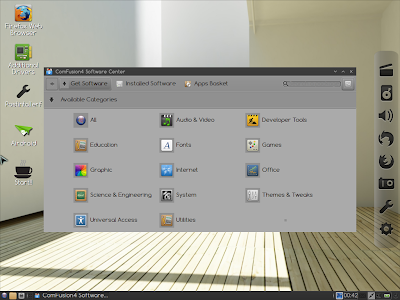
Comfusion4 Software Center is the Lubuntu Software Center GUI, modified and is compatible to the rich Ubuntu Precise repository. Further, synaptic package manager is also provided for users preferring synaptic. And it has some good news for users like me who prefer terminal to download applications. Comfusion offers a "apt-fast install" option for quicker download of applications. I tested it to download quite a few apps and it is at least 20% faster. And it is not available in Ubuntu or Linux Mint, I checked it! Essentially apt-fast, instead of apt-get, splits the package file into smaller pieces and then downloads them, thereby saving a lot of time.

From Comfusion 4.1
From Comfusion 4.1

3D Effects and Attractiveness of the distro
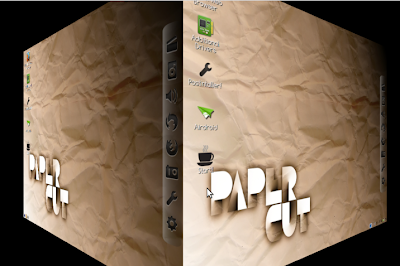
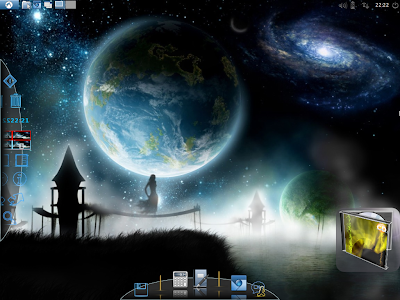
The main USP of Comfusion, over other Ubuntu derivatives, is the oomph factor it renders to Ubuntu. I know Ultimate OS also does the same but it is too ugly to look at. Whereas Comfusion looks clean, bright and professional. Plus, you can switch on and off the effects very easily. Accessories -> Compiz & Emerald, switches on the special effects with a transparent lower panel, transparent terminal, wobbly windows and you can make desktop cubes rotate with Ctrl+Alt+Right or Left key. Again, Accessories -> Compiz & Emerald switch off stops it. Very easy even for Linux newbies.

From Comfusion 4.1

These 3D effects work on all the three desktop options provided. The default desktop is LXDE and it looks best of the lot. Openbox is as usual minimalistic and would certainly save some RAM & CPU for you over LXDE/Mate. Mate 1.4 on the other hand, looks, exactly like Gnome 2 and it gels well with compiz effects.

Emerald themer too didn't work good for me and I could make use of it well. TV on Linux was also not of much interest to me, there are quite a few better live stream options available online.


From Comfusion 4.1
Wbar with shaded icons actually looks good on the desktop but a docky is a more preferred option for me. Wbar has limitation in the number of apps you can put, plus if you are to add there any new app that you downloaded, you would need a suitable icon image for it. Difficult considering if you put a different icon from the blackish theme, it will look real funny and ugly. Docky or cairo dock doesn't have such limitations and has a lot of themes available to choose from.

These apart, a lot of theme and look n feel customization options are available in compiz, I experimented with quite a few, some worked but others didn't. Still, I don't mind as already what is in plate is quite awesome.

CPU and RAM Usage
Another USP of Comfusion, apart from the special effects, is very low RAM and CPU usage. Openbox and LXDE took about 110 MB RAM to load desktop with 1-5% CPU usage. Both LXDE with openbox / Openbox are actually lighter than Lubuntu 12.10 or ROSA 2012 LXDE. Mate 1.4 desktop took slightly higher at 180 MB RAM and about 1-10% CPU. Still quite decent, I would reckon. However, CPU and RAM usage are considerably higher once the desktop effects are switched on. Preferably I would keep them off to save resources, unless I want to impress someone with "the power of Linux"!

Overall
Comfusion offers an unique proposition among the Ubuntu derivatives with a clean and elegant interface and lots of special effects. Added incentive is it's really low resource consumption, much lower than Ubuntu 12.04.1 LTS with Unity. Stability wise, without effects there are no issues and things run smoothly. But, with effects on, at times, the system just froze and I had to hard reset. Look and feel is very refined with boot up and login screens really looking good. Further, Comfusion provides users a lot of options to manipulate settings and desktop as per individual taste. Apt-fast is a real good addon on Compiz and I wish it was there in every Ubuntu derivate!

Bottomline, Comfusion is lightweight and packs a punch above its weight. The developers have done a great job in packing three desktop options in a less than 900 MB ISO. Comfusion looks cool, is great to use and feature packed. Definitely recommended and worth giving a shot.

You can download the ISO from here.

Read more!

Saturday, November 24, 2012

Linux Mint 14 vs Ubuntu 12.10: A Comparison

I have a lot of friends asking me of whether they should install Ubuntu 12.10 or Linux Mint 14, which is also Ubuntu - but a bit refreshed. Given that I reviewed both of them on the same system - Asus K54C, 2.4 Ghz Core i3 processor with 2 GB RAM, I thought a comparison between the mother distro and it's most famous derivate deem rational.

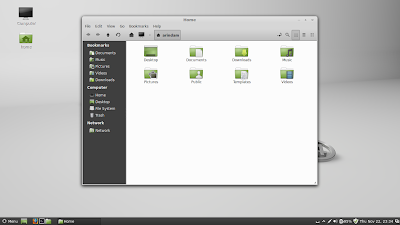
From Ubuntu 12.10 Comparison
From Linux Mint 14
Results - table


Parameters Ubuntu 12.10 Mint 14 Cinnamon
Size of ISO 790 MB 922 MB
Booting time (post installation) 9 sec 20 sec
Desktop Unity with Gnome 3.6 Cinnamon 1.6.7
Linux kernel 3.5.0-17 3.5.0-17
CPU Usage (post installation) 1-5% 1-5%
RAM usage (post installation) 412 MB 221 MB
Installation time (with 1 MBPS connection) 30 min. 30 min.
Wifi detection Immediate Immediate
Touchpad detection Automatic Automatic
Ease of use A bit on the slower side Really smooth to use
Eye candy factor Looks awesome! Looks good with application colors matching the ash colored theme
Repository Ubuntu Software Center 5.4.1.2 MintInstall 7.4.4
File Manager Nautilus 3.4.2 Nemo 1.1.2

As evident, the results highlight Unity makes Ubuntu a bit slower compared to Linux Mint with significantly higher RAM consumption. Cinnamon 1.6, on the other hand, gets it right.Ubuntu 12.10 is ahead in terms of booting time. Linux Mint, conventionally, take a bit of time to boot. 

On aesthetics department, Unity looks simply awesome but a bit buggy and crashes often. Also, Unity is not customizable. Cinnamon 1.6 is more customizable and looks good with Nemo file manager the grey and dark colors complementing each other. Especially Nemo is way ahead of Nautilus in terms of looks. Linux Mint has some cool new wallpapers as well. Still, I'll keep Ubuntu marginally ahead in terms of looks.
From Ubuntu 12.10 Comparison

From Linux Mint 14
From Linux Mint 14
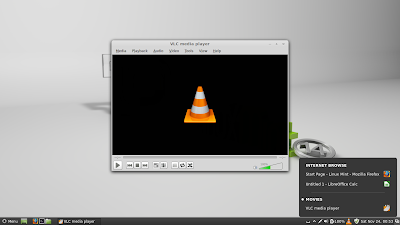
Linux Mint is more or less complete, even on live boot, in terms of applications and support to multi-media or flash plugins. Ubuntu too downloads these multi-media support and adobe flash support at the time of installation though these are not there at time of live boot. Except VLC (absent in default installation of Ubuntu), rest of the applications are more or less same for both Ubuntu and Mint. Actually, Ubuntu is marginally ahead as some additional features like Web apps, enhanced social media integration with photo lens in addition to music and video lens, etc. are not there in Linux Mint though Mint has the new workspace naming and notification applet to showcase.

From Linux Mint 14
From Linux Mint 14

From Ubuntu 12.10 Comparison
Final Verdict

This is my final verdict:
  • Performance: Linux Mint 14 is miles ahead
  • Aesthetics and Attractiveness: Ubuntu 12.10 is marginally ahead though Mint aesthetics are really good.
  • Applications: Linux Mint applications work out of the box.
  • Social Media Integration: Ubuntu 12.10 is miles ahead
Final verdict depends on the user - if you are looking for a rock-solid operating system where everything just works, Linux Mint 14 is the best for you. However, if you are looking for a more social network oriented operating system (similar to Android) and you don't mind occasionally hiccups, then Ubuntu 12.10 is more suited to you. Personally, I go for rock solid performance and Linux Mint is my preferred operating system.

You can read my reviews of the above mentioned distros from here:
- Review: Ubuntu 12.10
- Review: Linux Mint 14        

Read more!

Monday, October 22, 2012

Lubuntu 12.10 Review: Upgrade to the latest Quantal Quetzal!

This is my fourth review of the Quantal series  with Ubuntu, Kubuntu and Xubuntu already reviewed. Lubuntu, the fastest of them all but the one with the most boring look. Nope! Like the other three, in my article, I'll compare the latest release with Lubuntu 12.04 (no there was no 12.04.1 like others!). However, a reminder - the previous release was not a Long Term Release (with 3-5 years of support). Support is for 18 months in both and it makes sense here to upgrade to the latest distro, possibly.


From Ubuntu 12.10 Comparison
To the uninitiated, Lubuntu is a lightweight LXDE based operating system from the Ubuntu stable and it offers a complete package of applications for daily computing needs, plus it allows users to access and download thousands of applications from the very rich Ubuntu repository. Primary applications in Lubuntu are:
  • Graphics: GPicView, MTPaint, Simple scan
  • Multimedia: Audacious music player, Gnome MPlayer for videos, guvcview webcam
  • Internet: Chromium, Sylpheed email client, Pidgin IM, Bittorrent client
  • Office: Gnumeric spreadsheet, Abiword wordprocessor, Xpad notes, Osmo calendar, Evince pdf viewer and pdf writer
  • Accessories: Calculator, Leafpad (notepad), Screenshot, Xfburn CD burner, Archiver, Catfish search 
  • Games: Ace of penguins
  • Programming languages supported: Perl, Python, Bash 
I booted up both 12.10 and 12.04 on my Asus K54C laptop with 2.2 GHz Intel 2nd Gen Ci3 processor and 2 GB DDR3 RAM. Post initial live boot, I installed them on the same machine, to check and compare individual performances. High level results are given below:

High Level Results
Parameters Lubuntu 12.10 Lubuntu 12.04
Size of ISO 726 MB 722 MB
Booting time (post installation) 8 sec 8 sec
Desktop LXDE LXDE
Linux kernel 3.5.0-17 3.2.0-29
CPU usage (live boot) 1-5% 1-5%
RAM usage (live boot) 134 MB 149 MB
CPU Usage (post installation) 0-5% 0-5%
RAM usage (post installation) 123 MB 119 MB
Installation time (with 1 MBPS connection) 30 min. 30 min.
Wifi detection Immediate Immediate
Touchpad detection Works by default Wnorks by default
Ease of use Really smooth to use Really smooth to use
Eye candy factor Interface still looks bland in spite of a new icon theme and a new wallpaper Interface looks bland
Repository Lubuntu Software Center Lubuntu Software Center
File Manager PCManFM 1.0.1 PCManFM 0.9.10

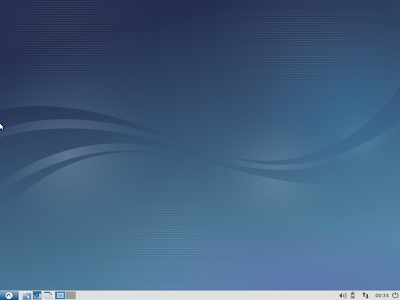
Essentially, you see here not much difference between 12.10 and 12.04, except for an updated Linux kernel (3.5.0-17.28 Ubuntu Linux kernel which is based on the v3.5.5 upstream Linux kernel). The developers have tried to give a face lift in Lubuntu 12.10, through a new set of icon theme, Lubuntu Box and a new wallpaper but still eye candy factor is missing from this incredibly fast and high functional distro.

From Ubuntu 12.10 Comparison
Incremental changes
 
Ubuntu did undergo a major change in the new release through web apps, but none of the other three did. The incremental changes in Lubuntu 12.10 are limited to:
  • A new version of pcmanfm (file manager), including at lot of bug fixes, external thumbnailer support, multiple screen support.
  • Notification-daemon have been replaced for xfce4-notifyd on the default installation, to display notifications.
  • Catfish, a searching utility, have been added to the default installation. 
  • A new grub to account for the UEFI secured boot in Windows 8 machines.
  • Migration-assistant removed: The tool responsible for migration of user profiles from existing operating system(s) is no longer part of Quantal.
  • Python 3: Still, Python 2 is supported. 
  • No OpenJDK6: Now Ubuntu has totally moved to OpenJDK7 as the default Java implementation.
So, in nutshell, more or less, very limited change from Lubuntu 12.04. The distro still retains its no-nonsense functionality, works very well on systems with limited resources and has every time worked out-of-the box for me detecting all the drivers, sound card and wifi/lan connection. In overall, inarguably a splendid distro - possibly the best of the Ubuntu clan in terms of resource utilization. Not surprisingly, today Lubuntu ranks higher than Xubuntu or Kubuntu in the distrowatch ranking.

Bottomline

Thus the bottom-line, in my mind, is to upgrade to the latest 12.10 to avail the latest applications and security features. Desktop is slightly better in look and feel in Quantal. You can upgrade through the upgrade option or by typing the following on the LXDE terminal:

sudo do-release-upgrade -d

Lubuntu 12.10 is a good stable OS and really smooth to use. Alongside, it is very light on resources and very useful for low resource computers as well. 

Only thing that goes against Lubuntu, in my mind, is its bland looks. Even the face lift hasn't helped much and the other themes, provided by default, make Lubuntu worse than the default theme; I tried them all! Even a bit of web search didn't actually provide me useful suggestions to transform Lubuntu. I did my experiments and here is the result:


From Ubuntu 12.10 Comparison

From Ubuntu 12.10 Comparison
It can be made to look whatever you want to, just an hour or two of experiment can do wonders to the look of the distro and make it really appealing. Possibly the developers want to retain the no-nonsense look of this amazing distro but who is stopping us, the users? The more I use Lubuntu I fall in love with it! It is and will remain in my mind as the most amazing distro from the Ubuntu stable. Thanks developers for working hard to make it better. LTS or no LTS, I don't mind, till I get such a functional and efficient distro!

Read more!