Wednesday, February 27, 2013

Sabayon 11 Mate Review: Very efficient but stripped down version

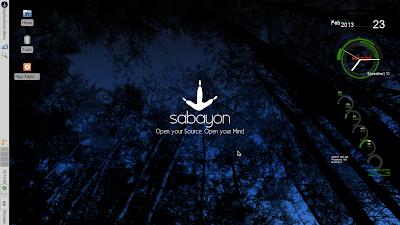
To begin with, Sabayon 11 release is not be missed. At least that is the evidence I got post using the Sabayon 11 XFCE and KDE releases. Hardware support is better than ever with complete EFI/UEFI and UEFI SecureBoot support, greatly improved NVIDIA Optimus support through Bumblebee, a selection of MySQL flavors, including Google MySQL and MariaDB, up to 14000 packages now available in the repositories per architecture, and much, much more. I already reviewed the XFCE and KDE releases and found both to be really really good. Next in line is the Mate version.

From Sabayon 11 Mate http://mylinuxexplore.blogspot.in
Sabayon 11 Mate 32-bit ISO is about 848 MB and comes with Mate 1.4.1 desktop with Linux kernel 3.7.0. Caja 1.4.0 is the default file manager. The ISO supports live-boot and I used my Asus K54C with 2.2 Ghz Core i3 processor and 2 GB RAM. It doesn't have NVIDIA graphics for the test. Using Unetbootin, I created a live USB. I used it to live boot on the laptop mentioned above followed by installation to a 16 GB hard drive.

Read more!

Tuesday, February 26, 2013

Sabayon 11 KDE Review: Great aesthetics and stable performance

To begin with, Sabayon 11 release is not be missed. At least that is the evidence I got post using the Sabayon 11 XFCE release. Hardware support is better than ever with complete EFI/UEFI and UEFI SecureBoot support, greatly improved NVIDIA Optimus support through Bumblebee, a selection of MySQL flavors, including Google MySQL and MariaDB, up to 14000 packages now available in the repositories per architecture, and much, much more. I already reviewed the XFCE release and found it to be really really good. Next in line is the KDE version.

From Sabayon 11 KDE http://mylinuxexplore.blogspot.in
Sabayon 11 KDE 32-bit ISO is about 2.1 GB, almost the same size as Sabyon 10 KDE. It comes with KDE 4.9.5 (last release had 4.9.2) and KDE 4.10.1 is expected soon. Linux kernel is 3.7.0. The ISO supports live-boot and I used my Asus K54C with 2.2 Ghz Core i3 processor and 2 GB RAM. It doesn't have NVIDIA graphics for the test. Using Unetbootin, I created a live USB. I used it to live boot on the laptop mentioned above followed by installation to a 16 GB hard drive.

Read more!

Sunday, February 24, 2013

Sabayon 11 XFCE Review: Extremely refined and a release not to be missed!

The name "Sabayon" always rings me of a very refined and extremely polished Linux operating system. As has been my experience with Sabayon 9 and 10, even the Sabayon 11 release doesn't disappoint. Sabayon 11 is refinement exemplified and is released in four flavors: Gnome 3, KDE, XFCE and LXDE. I start this series of review with my preferred desktop environment, XFCE.

From Sabayon 11 XFCE http://mylinuxexplore.blogspot.in
Sabayon 11 has XFCE 4.10 with Linux kernel 3.7.0. Sabayon is based on Gentoo linux and is a simplified version of Gentoo, I must say. I tested with the 32-bit ISO, about 1.3 GB in size, and supports live-boot. Sabayon has a rolling release with three of it's releases (8, 9 and 10) coming in 2012. Those who are already using Sabayon need not to worry about the 11th release - already their installations would be upgraded to 11.

Read more!

Saturday, February 16, 2013

Linux Mint 14 "Nadia" XFCE Review: Simply the best!

Simply put, it has become really boring to review any Linux Mint distro as I need to write the same words again and again. Things work so perfect with Mint and honestly, I haven't seen any other Linux distro better than Mint in terms of stability and performance. Last year when I reviewed Linux Mint 13 XFCE (the long term support one), I coined the release as the best of the year for any XFCE distro. Same words go for Linux Mint 14 XFCE as well, it just only got better from the last release.


In nutshell, Linux Mint 14 XFCE has just got almost everything that you need from a good distro and it offers much more. It  is lightweight, detects hardware impeccably, gives correct resolution and is buttery smooth to use. There is hardly anything that goes wrong with the Linux Mint release. Now my good words are exhausted and lets talk something not so good about Linux Mint. I guess, it might be bothering some of you too.

Read more!

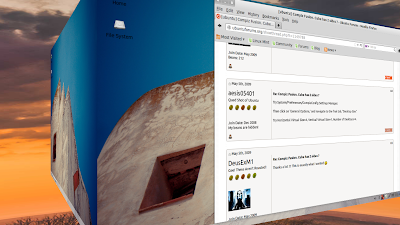
Customize to Create desktop cube with Compiz in Ubuntu, Fedora, Linux Mint

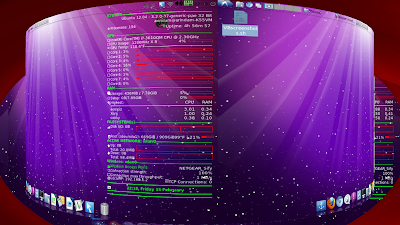
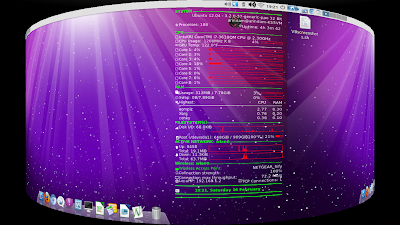
As I have been saying in my last few articles, Linux desktops like Gnome, KDE, LXDE, XFCE, etc. (except Unity) can be customized - so much that even at times it becomes difficult to identify what desktop environment (DE) actually it is! In my last article I covered whatever is written here, just separating out the compiz bit so that it is easier to search in google.

From Enabling Desktop Effects in Linux http://mylinuxexplore.blogspot.in

The finest of all customization is, to me, compiz. However, to run compiz with, say Xubuntu 12.04.1 LTS, your system needs a bit of RAM and CPU power. Compiz works really well in modern laptops with 2 or more cores and I have tested that compiz works well with Gnome fallback, KDE, LXDE and XFCE.

Read more!

How to customize and decorate Ubuntu desktop? Simple steps to customize Linux Desktop: Give your Fedora or Ubuntu a face-lift!

As I have been saying in my last few articles, Linux desktops like Gnome, KDE, LXDE, XFCE, etc. (except Unity) can be customized - so much that even at times it becomes difficult to identify what desktop environment (DE) actually it is! I do some very basic level customization to give a face lift to otherwise bland DEs like LXDE, XFCE, Openbox, etc. and in this article I'll take you through customization involving
  • Transparent panels (LXDE, XFCE)
  • Docky or Cairo dock
  • Conky
  • Compiz and desktop cube (couldn't do it in Unity, other than that it works will rest of the DEs)
From Enabling Desktop Effects in Linux http://mylinuxexplore.blogspot.in

Read more!

Sunday, February 10, 2013

Linux Lite 1.0.4: With added Steam!

When I reviewed Linux Lite 1.0.0 last year, I was pretty happy with the lightweight XFCE distro. The release was based on Ubuntu 12.04 LTS and was quite lighter than Xubuntu 12.04. Once the 1.0.4 update for Linux Lite came out in February 2013, I was a bit curious to try out and see the incremental additions that the developers have made to the updated release.

I found a few changes from 1.0.0 in 1.0.4, namely:
1. Linux kernel is updated to 3.2.18 and it seemed to be more stable than the previous release.
2. A new gaming application added with variety of games for Windows and some games for Linux - Steam.
3. A few applications like LibreOffice Impress added to the application list.
4. The ISO is now lighter by about 160 MB which is a welcome change.

From Linux Lite 1.0.4 http://mylinuxexplore.blogspot.in
Other than that, it is pretty much the same as the past release. I'll cover my experience with Steam in the later part of the article. I expected a little bit more especially on desktop environment and application aspect, namely:

Read more!