Tuesday, August 14, 2012

ROSA Marathon 2012 Gnome Review: Complete but may not be as fresh as a dew

Honestly, I missed the ROSA 2012 LXDE announcement, which critics say is quite good. So, I decided to download the ROSA 2012 Gnome release which came in early August. Those who follow the Linux news, would know that all is not well with Mandriva. Having used Mandriva earlier, before shifting to Ubuntu, I decided to test Rosa 2012 Gnome which is a fork of Mandriva Linux.

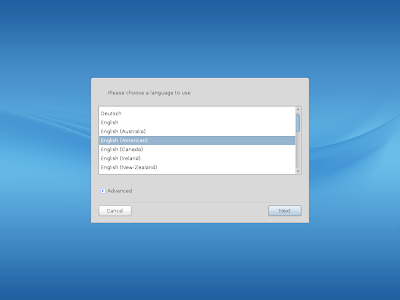
I downloaded the 1.3 GB ISO from its site. The boot up in virtualbox was quick but unlike other distros, it asked me my preferred language, location, keyboard, etc. which is quite unusual for modern day Linux. Later, I understood, ROSA supports a lot of European languages like French, German, Italian, Portuguese, Romanian, Russian, Spanish and Ukranian, apart from English. Hence, all these queries before booting up.

From ROSA 2012 Marathon

From ROSA 2012 Marathon
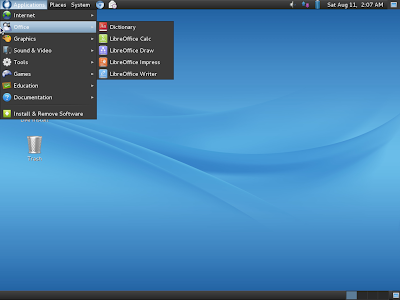
The desktop interface is pure Gnome 2. Similar to Snowlinux 3 Crystal, it is Gnome 2 with the LTS Linux Kernel 3.0.38 (Snowlinux has 3.2.0). I like Gnome 2 more than Gnome 3 as it is more customizable, even by a novice Linux user.

From ROSA 2012 Marathon
Applications
ROSA 2012 has almost all the essential apps you would expect like complete LibreOffice suite, Chromium browser with default flash support, Pidgin chat, Evolution mail and calendar, Cheese webcam, GIMP, Rhythmbox, etc. All in all, it provides a complete package to you without burdening yourself to download additional apps for regular use. Of course, you can download additional software from the last element in the menu.

From ROSA 2012 Marathon
There are quite a few games (arcade, board, cards and puzzles) provided by default. I liked them and they are a good times pass, on Sunday lazy afternoon.

CPU and RAM Usage
Given Gnome shell, the RAM usage is sub-200 MB. However, ROSA 2012 is not as light as a Snowlinux 3, for example.

From ROSA 2012 Marathon
Overall
I liked the refined and clean interface of ROSA Gnome. Out-of-the-box applications are also quite rich in ROSA. Somehow, I wasn't convinced of it's software repository. I may be wrong, but my guess is it is not as rich as a Debian or a Fedora repo. I searched a lot of apps like VLC, Firefox 14, etc. and I couldn't locate them there. So, I wouldn't recommend it over a LinuxMint 13 Mate 1.2 or a Snowlinux, but if you need a smart-looking Gnome 2 distro and you're willing to experiment, you can take this up!

Screenshots are available in my Picasa album.


Read more!

Monday, August 13, 2012

Peppermint 3 Review: A good replacement of Lubuntu

I have used Lubuntu and lets be honest, the LXDE sister of Ubuntu, is not that catchy to look at. So, if you want to have a good replacement of Lubuntu, without compromising on the performance (lower resource usage) or functionality, and at the same time looking really good, here is Peppermint Linux for you.

From Peppermint Linux 3
I downloaded the 32-bit ISO from Peppermint site. The 560 MB ISO is lighter than Lubuntu 12.04 ISO (683 MB). So, definitely a good start for Peppermint!

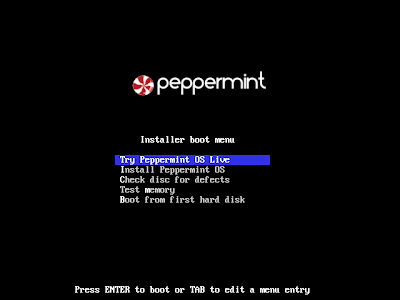
Boot up in virtualbox was quick and red white interface is really cool to look at.

From Peppermint Linux 3
Applications
The application set provided by default in the ISO is somewhat different from Lubuntu. Peppermint relies more on internet rather than having a physical app in the system. For example, Abiword and Gnumeric are done away with and replaced by Google docs. You can save all your documents online and can retrieve from anywhere. I really liked it. Google docs is really good and better than Abiword/Gnumeric. Still users, who prefer to have the documents in their system and/or doesn't have a high speed internet connection may not prefer this arrangement. However, you can always hit the Ubuntu repository and download LibreOffice or Abiword/Gnumeric.

Chromium is the default browser and Flash support is out of the box. Dropbox is there to share your files and you have bit torrent client as well. There is a media player and a music player, Guayadeque music player quite good - you can connect to online radio or play podcasts in addition to playing music files in your computer.

From Peppermint Linux 3
In addition to the default apps provided, you can always download more apps like VLC, Firefox, etc. from the Ubuntu Software repository. It is the same as in Lubuntu. Rest of the stuff are pretty similar to Lubuntu. Through preferences you can adjust monitor settings, screensaver, network connections, etc.

From Peppermint Linux 3

CPU and RAM Usage
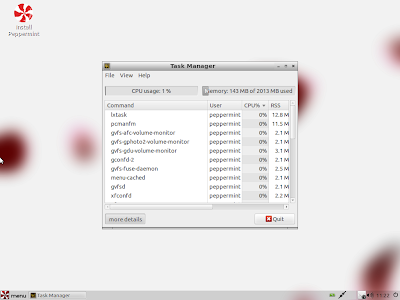
It is similar to Lubuntu 12.04 in terms of RAM and CPU usage and is also on the lower side. Around 130-140 MB is the RAM usage with only task manager running, pretty perfect for all netbooks and low resource computers.
From Peppermint Linux 3
Overall
I would recommend Peppemint Linux 3 as a good substitute of Lubuntu or Xubuntu. It is comparable in performance to Lubuntu, has a smaller ISO and looks more jazzy but offering the same functionality. Also, Windows XP users may find at home with Peppermint or Lubuntu as the desktop environment is quite similar.

You can find more screenshots at my Picasa album.

Read more!

Sunday, August 12, 2012

Snowlinux 3 Crystal Review: With LTS Linux Kernel and Gnome 2 desktop

True that Linux world is going through a rapid change. There are three types of Gnome based distros I see:

1. Distros which are using Gnome 3 as such
2. Distros which have Gnome 3 but have their own modification as well, like Unity in Ubuntu, Cinnamon in Linux Mint, etc.
3. Distros which still prefer Gnome 2 or Gnome 2 derivative like Linux Mint Mate, Scientific Linux.

Snowlinux 3 Crystal too falls in the third category - a Gnome 2 desktop with Linux 3 kernel. Due to drastic changes happening to Gnome 3 & Unity,  Snowlinux has kept Gnome 2 but with the updated Long Term Support (LTS) Linux kernel 3.2.0 LTS.

From Snowlinux 3 Crystal
I downloaded the 860MB ISO from Snowlinux website. It is based on Debian stable and it shows from the desktop interface, which is similar to Debian Squeeze, as you see below when I change the default wallpaper to Debian.
From Snowlinux 3 Crystal
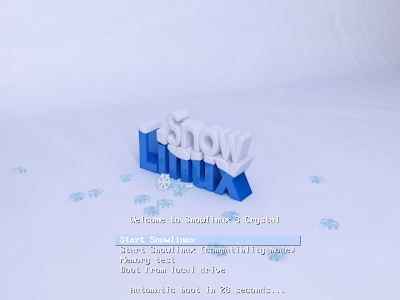
The boot up screen is also refined to reflect Snowlinux and supports live booting. Most of the system settings including webcam was detected, except touchpad. I couldn't get my touchpad working in Snowlinux crystal.

From Snowlinux 3 Crystal
Applications
I felt all the applications (out-of-the box) are very carefully chosen to give users a complete distro. There is no over-abundance of apps, nor there is a shortage as well. You get a LibreOffice suite, Firefox 14, Thunderbird 14, bit-torrent client, a video player (gnome media player, Rhythmbox, Basero, Empathy etc. Most of desired apps are there and you can download apps like VLC, Chrome, Pidgin, GIMP, etc. from the debian repository. Adobe flash support is not by default but you can get flash player from the repository.

From Snowlinux 3 Crystal

CPU & RAM Usage
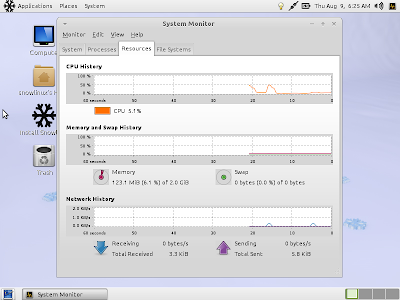
I was pretty impressed with the low resource consumption of this distro. With only System Monitor running, the RAM consumption was 123-125 MB and CPU usage of 1-10%, which is much lower than comparable Debian 6 derivatives, including Ubuntu 11.04.

From Snowlinux 3 Crystal
Overall
Snowlinux is really good and if you need a OS which is cutting edge but has the low resource consumption of the olden days, possibly this is the Linux distro you should try out. I am impressed, to be honest.

If you need to see more screenshots, please visit my picasa album.

Read more!

Linux Mint 13 KDE Review: Most complete KDE I've seen

Earlier I reviewed Linux Mint 13 "Maya" XFCE and Mate 1.2. Only piece left was the KDE spin. Last week I downloaded the 32-bit KDE Linux Mint from its website. The 960 MB ISO is considerably lighter than the Linux Distros you get to see these days.

From Linux Mint 13 KDE
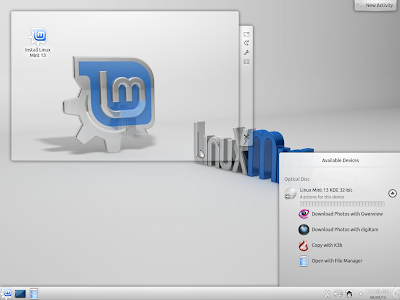
Boot up in virtualbox was quick. KDE took a bit of time to start, which it normally takes. The desktop is really an artistic spin of KDE, I really liked the aesthetics - which many a times are missing from a lot of Linux OSs.
From Linux Mint 13 KDE
Applications
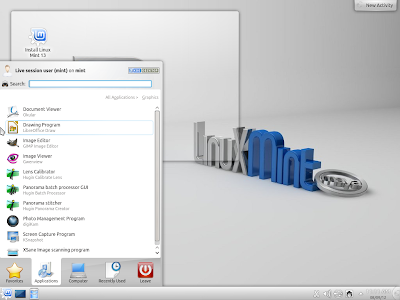
Linux Mint is always ahead of rest of the Linux distros in terms of giving out-of-the-box applications. And they have made a hybrid KDE environment here. You get full LibreOffice suite, GIMP, Firefox, VLC, Java, Adobe Flash support, etc. along wth the usual bunch of KDE softwares. Impressive, I must say!

From Linux Mint 13 KDE
Firefox 12 is included by default in the distro, which can be upgraded to the latest Firefox.

CPU & RAM Usage
RAM usage is about 290-300 MB, with only task manager running. Anyway, this is not meant to run on low resource environments.

Overall
I must say, this is the most complete out-of-the-box KDE spin I have seen. You just need to boot it up and without requiring to download hundreds of MBs of updates, you can just get started. Definitely, a distro worth a try.

You can see more screenshots in my Picasa album.


Read more!

Chakra Linux 2012.07 Archimedes Review: For those who prefer pure KDE

To be honest, I am more into Gnome than KDE. However, as these days a lot of Linux dsitros are preferring KDE over Gnome 3, gradually I am developing a taste for KDE as well. I really liked OpenSUSE & Linux Mint KDE. Chakra is another KDE distro, derived from Arch Linux, with the latest KDE softwares. In July 2012, Chakra Linux came up with the Archimedes update.

From Chakra Linux 2012.07 Archimedes
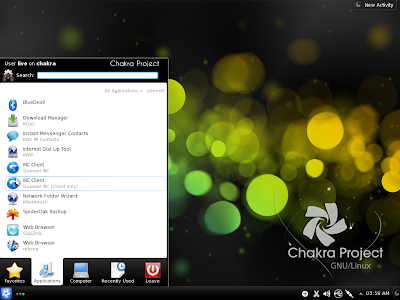
I downloaded the 1.5 GB ISO from Chakra website. The boot-up was fast in virtualbox. And I was greeted with a nice-looking boot-up screen.

From Chakra Linux 2012.07 Archimedes

Applications
App-wise, it is more of a typical KDE, than a hybrid - what you get to see in other KDE spins. For example, there is no LibreOffice/OpenOffice or Firefox but you get here Calligra Office. Amarok is the default music player. Bangarang is the video player and Kdenlive, the default video editor. Added to it, is a youtube client, Minitube.
From Chakra Linux 2012.07 Archimedes
Rekonq is the default browser. Further, if you are not very fond of Rekonq, you can download Firefox or Chrome from the Bundle Manager. Firefox 14 is available there. I checked for a few other applications in the repository and it seems to be very up-to-date with the latest softwares from the Linux world.

From Chakra Linux 2012.07 Archimedes

Adobe Flash is not by default and you've to download it from the repository. Wine is provided out-of-the-box which is good as you can install Office 2010 or similar Windows based applications, easily.

CPU & RAM Usage
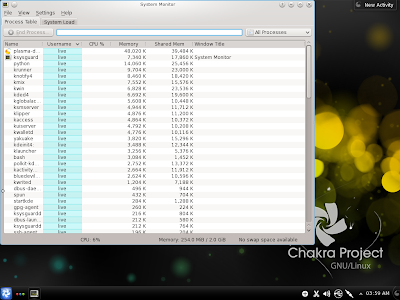
Chakra uses only 250-260 MB of RAM with only the task manager running. It is, kind-of, lower than other KDE based distros, except may be Porteus 1.2. CPU usage is also 1-10%, with only task manager running.

From Chakra Linux 2012.07 Archimedes

Overall
Overall, I found Chakra to be very stable. Further, it has most of the latest KDE softwares. For those who prefer non-KDE softwares like LibreOffice, VLC, Firefox, etc. this may not be the distro which you are looking for. I would recommend them to go for Linux Mint KDE or OpenSUSE.

You may like to visit my Picasa photo gallery with Chakra screenshots.

Read more!