Showing posts with label linux. Show all posts

Friday, August 16, 2013

Elementary OS "Luna" 0.2 Review: Simple, effective, efficient

Like many other Linux users, I too, follow a lot about Elementary OS. They seems to be getting things right what's wrong with modern Linux in general and GNOME 3 in particular. Consider this, it is just the 0.2 release of Elementary and already ranked 27 in Distrowatch popularity! The 1.0 release is yet to come! As Darshak said in the comments section - it is going to be killer of a distro.


From Elementary 0.2 http://mylinuxexplore.blogspot.in
Anyway, I used the 32-bit Elementary OS Beta 1 release a few months back and was deeply impressed with it. So, when the 0.2 release note came with some incremental improvements, I wanted to try it out myself. Elementary OS too, like 70% of all Linux distros, is based on Ubuntu and to be more precise, on Ubuntu 12.04 LTS and the present update comes with Linux kernel 3.2.0. However, it doesn't believe in Ubuntu's Unity philosophy and has come up with it's own GNOME 3 forked desktop, Pantheon. Even the Files file manager is forked and named Pantheon Files. 

The main USP of Elementary is a sophisticated, uncluttered and uncomplicated desktop. It comes from the same developers who created elementary GTK2 theme for Linux. Elementary OS provides users the basic desktop to work with and customize. I set the expectation right the very beginning itself - if you are expecting a whole lot of applications with all possible codecs/flash installed like other Ubuntu derivatives (incl. Mint), then you'll be disappointed with Elementary.

The release note of Elementary 0.2 states of the following incremental improvements:
  • Better support of international languages including some Asian languages like Sinhalese
  • Multiple display support (didn't test in my review)
  • Incremental refinements in design (checked most of them)
  • Updated applications like Music player, Pantheon terminal, Midori, Shotwell, etc. (checked all of them, except Shotwell)
I downloaded both the 32-bit and 64-bit ISOs (both less than 700 MB) for this test. Somehow, the 32-bit ISO didn't work that well for me. I couldn't connect to wifi, all of a sudden the desktop started becoming unresponsive, etc. etc. So, I didn't install the 32-bit version but instead did this evaluation based on the 64-bit one. I tested it on my Asus K54C laptop, with 2.2 Ghz Core i3 processor and 2 GB RAM. I used Unetbootin to create a live USB.

Read more!

Friday, July 19, 2013

Installing AMD Radeon drivers in Linux: Example from HP 4331s with Ubuntu/Netrunner

Last week, I tested Netrunner on HP 4431s Pro-book laptop (2.3 Ghz 2nd Gen. Ci3, 4 GB RAM, 500 GB Hard drive, Windows 7, 1 GB AMD Radeon HD 7470M graphic processor). This laptop belonged to my friend and he came to me to resolve a couple of issues:
  • Virus/Malware problem and slowing down of Windows 7 - the antivirus software installed could not remove, neither it could be deleted manually.
  • Heating issue: possibly proprietary drivers were not installed in Win7 and hence, the excessive heat.
So, I went ahead with installing Netrunner 13.06 on the machine.

From Netrunner 13.06 http://mylinuxexplore.blogspot.in


Read more!

Sunday, June 23, 2013

PCLinuxOS 2013.06 LXDE Review: Fast, attractive and easy to use Lightweight rolling release distro

Of all the desktop environments I have used till date, LXDE definitely ranks among the most efficient ones. Just to give a proof of how much it is efficient than other desktop environments, I have used till date 13 LXDE distros and their combined average RAM utilization is ~ 116 MB (all 32-bit OS), to load the default desktop with task manager running. LXDE consumes less than half of the resources what a normal KDE 4.10 or a GNOME 3.6 distro would consume under similar conditions. Further, it is 44% more efficient than it's nearest rival XFCE 4.10. 


Desktop Environment Average 
Ram Usage (MB)
# Of OS reviewed
E17 100 4
Openbox 108 7
LXDE 116 13
Gnome 2.32 134 5
XFCE 4.8 137 9
Mate 1.6.0 147 2
XFCE 4.10 167 13
Mate 1.4 187 5
Mate 1.2 199 2
Cinnamon 1.4 200 1
Cinnamon 1.8 209 2
Cinnamon 1.6 214 3
Gnome 3.6 248 8
KDE 4.10 255 4
Gnome 3.4 279 5
Gnome 3.8 280 1
KDE 4.8 295 11
Unity 311 4
KDE 4.9 337 11


Still LXDE is not the most popular desktop environment. Even personally, I prefer to use a KDE over LXDE though I know that LXDE is more resource friendly. The reason is plain and simple - customization in LXDE is not as easy as in other desktops. For example, adding an application to autostart in LXDE requires me to hit the terminal; whereas in other desktops, I just add another application to autostart by the click of a mouse. Similarly, the settings manager in KDE and GNOME are integrated but not in LXDE. Even enabling compositing is not an easy task in LXDE. Also, the desktop is so bland! Many users prefer not to tamper with the default desktop settings and hence like desktops which are attractive right from the first boot!

If you see the number of distros I reviewed for KDE, GNOME or XFCE outnumber LXDE distros. ROSA and Comfusion came to be attractive LXDE distro but didn't have the functional elements that I mentioned. The rest were plain vanilla LXDE with the missing attraction factor. Even Linux Mint didn't create an LXDE spin for quite sometime (I guess the last one was Linux Mint 12 LXDE). However, the PCLinuxOS 2013.06 LXDE spin made me hopeful about LXDE. PCLinuxOS 2013.06 LXDE is attractive, it is fast and very easy to use! Plus, it has a rolling release. 

From PCLinuxOS 2013.06 LXDE http://mylinuxexplore.blogspot.in

Read more!

Friday, June 14, 2013

Zorin OS 7 Review: Windows clone of Ubuntu with great design and good performance

Zorin OS is an Ubuntu spin specially keeping in mind the new Linux converters from Windows. From the beginning itself it has an interface quite similar to previously Windows XP and now Windows 7 (still it gives Win XP appearance as an alternative). Zorin OS is somewhat different from other distros, as it has a commercial angle to it. It has a paid full featured version with support and a free version. In this review, I take on the latest release Zorin OS 7 Free Version. It is based on Ubuntu 13.04 (Raring Ringtail) and has 6 months of support till Oct 2013.

From Zorin OS 7 http://mylinuxexplore.blogspot.in
The release note states of significant improvements in design and functionalities in the latest release:
"The Zorin OS team is proud to finally release the Zorin OS 7 Core and Ultimate, the latest version of our operating system designed for Linux newcomers. Zorin OS 7 brings about a plethora of changes and improvements such as a wide array of updated software, the Linux kernel version 3.8, the introduction of new software (Pidgin replacing Empathy and Steam in Zorin OS 7 Ultimate) and an enormous design overhaul. We have given the brand a facelift with our new logo. In addition to this, Zorin OS itself includes a brand new desktop theme. Zorin OS 7 is based on Ubuntu 13.04."
I downloaded the Zorin OS free edition 32-bit ISO, about 1.5 GB in size for this testing. Zorin OS 7 free edition comes with Linux kernel 3.8.0-23, just like Ubuntu 13.04 and has a heavily tweaked GNOME 3.6 desktop. I created a live USB using Unetbootin, first did a live boot followed by installation in my Asus K54C 2.2 Ghz Core i3 laptop with 2 GB RAM.

Read more!

Tuesday, May 21, 2013

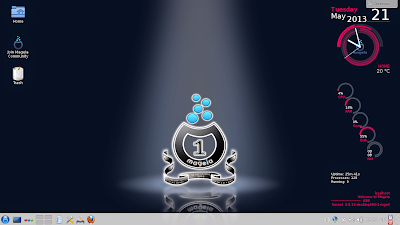
Mageia 3 KDE Review: Simple, refined, elegant and fantastic!

To be honest, I have used quite a few KDE distros in last couple of years but never saw a resource efficient distro like Mageia 2. Under similar conditions, Mageia performed better than almost all the KDE distros I have used. Plus, with Mandriva Linux going commercial and PCLinuxOS becoming independent of Mandriva, Mageia and ROSA are perhaps the limited ways to know what's brewing in the Mandriva camp. Incidentally both the Mandriva derivatives present really beautiful KDE distros!
From Mageia 3 KDE http://mylinuxexplore.blogspot.in

With such a background and rich legacy, it is not surprising that Mageia enjoys a huge fan following in the Linux world. For me, the release of Mageia 3 was one of the most anticipated releases of the first half in 2013, after Debian Wheezy and Ubuntu Raring Ringtail. The release announcement of Mageia 3 promises of absolutely the very latest version of Linux kernel and applications, another reason for me to test Mageia's to ascertain it's stability.

"All grown up and ready to go dancing - Mageia 3 is out. We still can't believe how much fun it is to make Mageia together, and we've been doing it for two and a half years. Major new features: updates to RPM (4.11) and urpmi, which has been given a good turnout and cleanup; Linux kernel 3.8; systemd 195; GRUB is the default boot loader; GRUB 2 is available; revamped package groupings for installation and rpmdrake; KDE 4.10.2, GNOME 3.6, Xfce 4.10; LibreOffice 4.0.3; Steam for Linux...."
I downloaded the 32-bit LiveDVD KDE (~1.4 GB in size) for this review. I used Imagewriter (Linux Mint one) to first create a live USB. I did a live boot followed by installation on my Asus K54C with 2.2 Ghz Core i3 processor and 2 GB RAM. Mageia 3 KDE version has KDE 4.10.2 with kernel 3.8 with Dolphin 2.2 as the file manager.

Read more!

Thursday, May 16, 2013

Ubuntu 13.04 vs Kubuntu 13.04 vs Xubuntu 13.04 vs Lubuntu 13.04 vs Ubuntu 13.04 GNOME: A brief comparison

Every Linux novice goes through this phase - confusion to decide which Ubuntu to install when now you've got so many versions of Ubuntu coming out of the stable. The aim of this article is to facilitate taking decision by briefing about what distro has to offer and a comparison of their performance.

I take up here the latest Ubuntu release 13.04, codenamed "Raring Ringtail". Released in April 2013, it comes in five distinct desktop environments

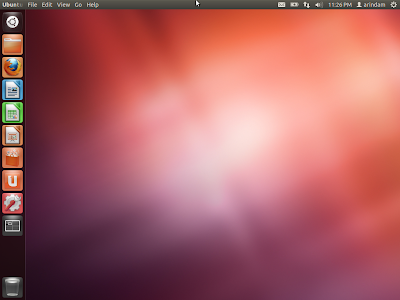
Unity in Ubuntu 13.04
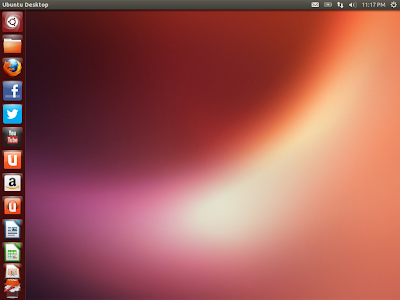
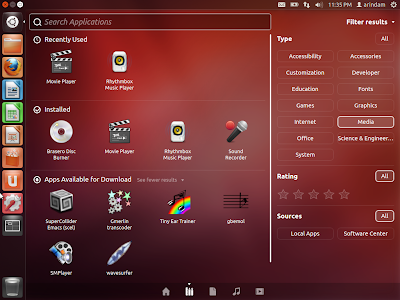
It started as a net-book OS environment and gradually gained favor from Canonical. The much criticized (and rightly so because of its initial instability) desktop environment is now gradually improving in terms of performance and stability. It is kind of a minimalistic desktop with a left hand side strip, accommodating the user's favorite applications, along with a heavy integration to social networks (like Facebook, Twitter, Youtube, etc.) through its unique dash. It is still not as stable as I would like it to be but, I feel, Unity has the potential to challenge the operating system biggies like Windows and Mac OS X. It is intuitive and very easy to use but not as customizable as a KDE. Right now, its use is limited only to Ubuntu. Unity leverages the Gnome 3 ecosystem of applications with Files (forked from Nautilus) as the file manager. My review of Ubuntu 13.04.


From Ubuntu 13.04 http://mylinuxexplore.blogspot.in


Read more!

Wednesday, May 15, 2013

Sabayon 13.04 KDE review: One of the most elegant distros in the Linux world

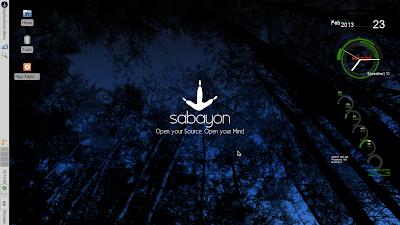
Let me begin this way, I am a great admirer of Sabayon for quite sometime. This Italian distro is based on Gentoo Linux and provides an enviable ensemble of pre-installed applications which just works out of the box. Those who are scared of Gentoo, Sabayon can be a good starting point. Apart from being based on one of the most popular Linux operating systems, one of the greatest USPs of Sabayon is it's aesthetics. It comes with a very professional dark blue theme with application interfaces tweaked to match it. I haven't seen many Linux distros doing it, to be honest.

From Sabayon 13.04 KDE http://mylinuxexplore.blogspot.in
Sabayon, in every release, gives a ready to use Gentoo Linux based operating system with pre-installed applications and multimedia codecs. It has a rolling release cycle with around 3 releases every year. For example, in 2012, Sabayon 8, 9 and 10 were released in Feb, Jun & Sep 2012 respectively. The Apr'13 release is named differently as 13.04 rather than Sabayon 12 (Sabayon 11 was released in Feb'13). Anyway, apart from the change in nomenclature, rest of the things haven't changed much in Sabayon 13.04. In Fabio Erculiani's words
"Sabayon 13.04 is a modern and easy-to-use Linux distribution based on Gentoo, following an extreme yet reliable rolling-release model. This is a monthly release generated, tested and published by our build servers containing the latest and greatest collection of software available in the Entropy repositories. Linux kernel 3.8.8 with BFQ iosched and ZFS, GNOME 3.6.3, KDE 4.10.2, MATE 1.6, Xfce 4.10, LibreOffice 4.0, production-ready UEFI support and experimental systemd support are just some of the things you will find inside the box"
I tried out the KDE flavor of Sabayon 13.04 and will take you through my experience in this review. I downloaded the 32-bit ISO, about 2.3 GB in size and installed it in my Asus K54C with Core i3 2.2 Ghz processor and 2 GB RAM. Imagewriter (available in Linux Mint) works well with Sabayon to create a bootable USB.

Read more!

Sunday, April 21, 2013

Manjaro 0.8.5 KDE Review: With KDE 4.10.2 and added Steam!

Within a short span of time, Manjaro seems to have hit the right cord with Linux users. In last 8 months, it had 6 major releases with almost all desktop flavors available in their kitty and currently ranked within top 10 in Distrowatch. For those uninitiated to Manjaro, it is an user-friendly spin of Archlinux with popular desktop environments which just works once you boot up. To me, Manjaro is going the Linux Mint way, to provide highly functional, pre-configured Linux distros to make Linux easy for those who are uninitiated. That they are going in the right track is evidenced by the popularity of the distro within a short span of time. Their first release of Manjaro 0.8.0 XFCE was on 21st August and now their fifth upgrade is out within 8 months!

From Manjaro 0.8.5 KDE http://mylinuxexplore.blogspot.in
Manjaro definitely is one of the distros that I regularly follow; it brings quite a few good features not present even in some prominent Linux distros. For example, can you think of running a 32-bit KDE 4.* distro on a Pentium 4 without the machine slowing down? Manjaro runs and runs quite effectively! Yes, I agree, definitely Archlinux is lighter than Debian or RHEL based distros, but credit must go to the Manjaro Linux developers as well - they have retained the advantages of Archlinux and added to it, the elegance and user-friendliness of Linux Mint.

Read more!

Tuesday, April 9, 2013

Emmabuntus 12.04.2-1.04 Review: Xubuntu LTS spiced up!

I recently came across Emmabuntus in Distrowatch, it is a Xubuntu 12.04.2 LTS based distro which comes with a large number of pre-installed applications. You can say it to be Ultimate Edition for Xubuntu. Naturally, I was inclined to try it out - to check if it is just mindless collection of applications or the developers have used their judgement in selecting those apps.
From Emmabuntus 12.04.2-1.04 http://mylinuxexplore.blogspot.com

I downloaded the 3.5 GB Emmabuntus ISO. And used an 8 GB pendrive to create a live-USB using unetbootin. I did a live boot followed by installation in my Asus K54C with 2.2 Ghz Core i3 processor and 2 GB RAM. Initially I thought Emmabuntus to be just another dump of all available applications but once I started using it, I realized it brings in some very good features in addition to dumping all available apps. Details in the remaining part of the article.

Read more!

Sunday, April 7, 2013

Ubuntu 13.04 "Raring Ringtail" Beta 2 Review: With a better looking Unity!

It is April 2013 and we are eagerly awaiting the release of Ubuntu 13.04. Discussions are on whether it will have the usual 18 months of support or a lesser 9 months. Codenamed Raring Ringtail, the OS is at the final stages and in this article, I give you a sneak preview of what is expected. Of course, Ubuntu will add some last minute surprises when the final release comes.
From Ubuntu 13.04 http://mylinuxexplore.blogspot.in

As of now, the ISO is at 835 MB and is perhaps the heaviest ISO I have seen of Ubuntu. I did a live boot followed by installation on my Asus K54C with 2.2 Ghz Core-i3 processor and 2 GB RAM. As of now, it has Unity on Gnome 3.6 desktop and Linux kernel 3.8.0. I guess the final release with come with the latest 3.8.5 kernel. Already I used kernel 3.8.5 on Pear OS 7, this week, after downloading from the Raring repos.

Read more!

Tuesday, March 26, 2013

Linux Mint 201303 "Debian" Mate: Very good semi-rolling Mate distro from Debian testing

Last week I reviewed Linux Mint 201303 Debian Cinnamon and was extremely pleased with the smoothness, refinement and performance it offered. Further, LMDE offers a semi-rolling distro with little requirement of reinstalling it again (if everything works properly after each update though!). Next I thought of reviewing the Mate version to make an assessment. Honestly, I haven't used much of Mate on a regular basis - I rather preferred distros with Gnome 2 desktop (like Fuduntu, CentOS or GhostBSD).
From Linux Mint Debian 201303 Mate http://mylinuxexplore.blogspot.in

Linux Mint 201303 Debian Mate comes with Mate 1.4 and Linux kernel 3.2.0. Mate is forked from the now unsupported Gnome 2 and is supposed to be lighter than Gnome 3 and its derivatives. I downloaded the 32-bit ISO (about 1.3 GB in size) for this review. I did a live boot on my Asus K54C with 2.2 Ghz Core i3 processor and 2 GB RAM. Post live boot with correct resolution and proper detection of hardware, I installed Linux Mint Mate on the same laptop. For those with Windows 8 laptop, LMDE doesn't yet support UEFI firmware and may not install as dual boot.

Read more!

Saturday, March 23, 2013

Linux Mint 201303 "Debian" Cinnamon Review: Debian simplified and offers impressive performance!

One thing I really like about Linux Mint is the refinement and completeness they render to each and every release. I have been using Linux Mint since 2009 and except for the repetitive art-work, I have never been disappointed so far. Normally Linux Mint releases mimic Ubuntu and mostly require fresh installation. I tried upgrading a few but with no luck and hence, had to do a fresh installation to make things work. However, in 2012, Linux Mint deviated from convention and brought a semi-rolling release LMDE (Linux Mint Debian Edition). LMDE is based on Debian testing and doesn't require ever to re-install the OS. I tried the Mate version in 2012 and was highly impressed with aesthetics as well as performance.


From Linux Mint Debian 201303 Cinnamon http://mylinuxexplore.blogspot.in
This time with the release of 201303 LMDE update, I thought of trying out the Cinnamon version. LMDE is available in both 32 and 64 bit versions - I downloaded the 1.3 GB 32-bit version. Those who are using LMDE Cinnamon already, need to just update and upgrade the system to 201303 and need not to do a fresh installation. The 201303 update comes with Cinnamon 1.6, Linux kernel 3.2.0, and Gnome shell 3.4.2. Nemo 1.1.2, forked from Nautilus, is the default file manager. Both Cinnamon and Nemo being lighter than Gnome 3, render a sense of lightness to the overall feel of the distro. For this testing, I used my Asus K54C laptop with 2.2 Ghz Core i3 processor and 2 GB RAM.

Read more!

Tuesday, March 19, 2013

Trisquel 6.0 Review: High performing and extremely elegant! Free Software advocate or not - a definitely recommended distro for all Linux lovers!

The birth of Ubuntu is possibly, pivotal to the Linux history. Reason? Without Ubuntu, possibly we won't have heard the names of 50% distros in the Distrowatch top 100 list! You will find all kinds of Ubuntu derived distros there - mostly spiced up Ubuntu which work right out of the box with all free and non-free multimedia codecs and restricted softwares loaded in them! However, last week I came across a different kind of Ubuntu derivative which strictly uses free softwares only, as defined by the Free Software Foundation guidelines! Originally Trisquel is a Spanish distro (with English language option thankfully - otherwise the world would have missed a really wonderful distro!).

From Trisquel 6.0 http://mylinuxexplore.blogspot.in


On free software part, possibly, I am not so emotionally attached as the developers or free software advocates. So, my review is completely focused on functionality and performance of Trisquel without getting really involved on the free-software bit. I definitely support their cause but in this review I treated Trisquel just like any other Linux distro.


Read more!

Sunday, March 10, 2013

Ubuntu 13.04 Raring Ringtail Daily-build Review: With latest apps and a better looking Unity

With every progressing release, Unity desktop is getting significantly better. In Natty and Oneiric, I actually hated Unity for it's inefficiency and decided to stick to Linux Mint and Sabayon for the time being. However, with Ubuntu Precise 2nd update (12.04.2), my opinion on Unity actually changed. Though still not customizable but efficiency has increased, apps stopped crashing in the background, annoying pop-ups are gone and Unity has now become far more responsive than where it was in the beginning. Also, after using Gnome 3 in Fedora and OpenSUSE, I now understand why Ubuntu stayed away from the default Gnome 3 DE and leaned towards Unity. Agree, the strip hogs a bit of space on the left hand side but you can actually make it thinner and hide while using applications.


From Ubuntu 13.04 http://mylinuxexplore.blogspot.in
My sole purpose of downloading the daily build of Ubuntu Raring Ringtail and using it for a week, was to assess what incremental changes to expect in Unity for the April release. I downloaded the 816 MB ISO from here and did an installation on my Asus K54C laptop with 2.2 Ghz Core i3 processor and 2 GB RAM.

Read more!

Tuesday, March 5, 2013

Kubuntu 13.04 Alpha 2 Review: Very promising

Kubuntu may not be the best implementation of KDE but definitely one of the most followed. For me, Kubuntu has been always a judicious mix of KDE and Gnome applications along with a boring default interface. Of course, with a change of wallpaper, KDE widgets and bringing in some KDE themes made it really shiny and attractive. Even Kubuntu 12.10 had a real boring and plain-vanilla default interface.

From Kubuntu 13.04 Alpha 2 http://mylinuxexplore.blogspot.in
Kubuntu 13.04 alpha 2 release note came in Distrowatch on 15th Feb 2013. I knew apart from KDE 4.10 and the latest Linux kernel there won't be many changes from what I reviewed in Kubuntu 12.10. Come on, in 6 months what earth shattering changes can you expect!

However, the bright interface of Kubuntu and amazing smoothness in use actually surprised me. Initially I was thinking of just live boot and testing Kubuntu, but instead opted to install it on my Asus K54C laptop with 2.2 Ghz Core i3 processor and 2 GB RAM.

Read more!

Saturday, March 2, 2013

Ubuntu 12.04.2 LTS Review: Now I like Unity!

Ubuntu 12.04 LTS is possibly one of the most landmark long term release for Ubuntu and Canonical for a couple of reasons. Number one, it is the first long term release with Unity desktop. Second, first time the LTS is supported for 5 years. Love it or hate it, Unity has now become synonymous with Ubuntu. And after reviewing a lot of distros with stock Gnome 3 as desktop, I now understand why canonical didn't pursue Gnome 3. Unity, at least, is intuitive and easier to use even for a Linux novice. If that right side strip irritates you, simply check the auto-hide option. Agree, customisation is sacrificed if you use Unity, but it looks elegant.

From Ubuntu 12.04.2 LTS http://mylinuxexplore.blogspot.in

From Ubuntu 12.04.2 LTS http://mylinuxexplore.blogspot.in
The primary issues bothering Unity, in my experience, were high resource usage and instability - the reasons for which I quit Ubuntu to use Linux Mint, which I found to be much more stable. In Ubuntu 12.04 LTS first release, just to load Unity required about 400 MB of RAM for the 32-bit OS. With 12.04.1 LTS, RAM and CPU usage dropped significantly - it took about 280 MB of RAM and 1-10% CPU usage. However, applications crashing in the background (though not shutting down the system) was always a pain even in Ubuntu 12.04.1 LTS.

Read more!

ROSA Desktop Fresh 2012: Very efficient & elegant stock Gnome 3 distro

I have been following ROSA Linux since 2012. Now that possibly not everything going right for Mandriva Linux, the emergence of ROSA has assumed paramount significance. ROSA has not only enhanced the Mandriva based, but also created its own very distinct theme, especially for KDE. Even I am an ardent admirer of the unique design that ROSA brings on the table. Every ROSA release so far has been very refined and amazingly attractive.


From ROSA Fresh 2012 http://mylinuxexplore.blogspot.in
Like ROSA Marathon Gnome, even ROSA Desktop Fresh 2012 also brings a lot of freshness to otherwise boring Gnome 3, though the limitations of Gnome 3 is still there. Though the distro name says 2012 but the final release came on 12 Feb 2013. ROSA fresh provides option to use Gnome 3 and Gnome fallback at the login. I downloaded the 32-bit version, ISO is about 1.1 GB. Gnome 3.6.2 is the default desktop environment with Linux kernel 3.6.10 with Files 3.6.3 is the file manager. I installed ROSA Desktop Fresh on my Asus K54C with 2.2 Ghz Core i3 processor and 2 GB RAM for testing.

Read more!

Wednesday, February 27, 2013

Sabayon 11 Mate Review: Very efficient but stripped down version

To begin with, Sabayon 11 release is not be missed. At least that is the evidence I got post using the Sabayon 11 XFCE and KDE releases. Hardware support is better than ever with complete EFI/UEFI and UEFI SecureBoot support, greatly improved NVIDIA Optimus support through Bumblebee, a selection of MySQL flavors, including Google MySQL and MariaDB, up to 14000 packages now available in the repositories per architecture, and much, much more. I already reviewed the XFCE and KDE releases and found both to be really really good. Next in line is the Mate version.

From Sabayon 11 Mate http://mylinuxexplore.blogspot.in
Sabayon 11 Mate 32-bit ISO is about 848 MB and comes with Mate 1.4.1 desktop with Linux kernel 3.7.0. Caja 1.4.0 is the default file manager. The ISO supports live-boot and I used my Asus K54C with 2.2 Ghz Core i3 processor and 2 GB RAM. It doesn't have NVIDIA graphics for the test. Using Unetbootin, I created a live USB. I used it to live boot on the laptop mentioned above followed by installation to a 16 GB hard drive.

Read more!

Tuesday, February 26, 2013

Sabayon 11 KDE Review: Great aesthetics and stable performance

To begin with, Sabayon 11 release is not be missed. At least that is the evidence I got post using the Sabayon 11 XFCE release. Hardware support is better than ever with complete EFI/UEFI and UEFI SecureBoot support, greatly improved NVIDIA Optimus support through Bumblebee, a selection of MySQL flavors, including Google MySQL and MariaDB, up to 14000 packages now available in the repositories per architecture, and much, much more. I already reviewed the XFCE release and found it to be really really good. Next in line is the KDE version.

From Sabayon 11 KDE http://mylinuxexplore.blogspot.in
Sabayon 11 KDE 32-bit ISO is about 2.1 GB, almost the same size as Sabyon 10 KDE. It comes with KDE 4.9.5 (last release had 4.9.2) and KDE 4.10.1 is expected soon. Linux kernel is 3.7.0. The ISO supports live-boot and I used my Asus K54C with 2.2 Ghz Core i3 processor and 2 GB RAM. It doesn't have NVIDIA graphics for the test. Using Unetbootin, I created a live USB. I used it to live boot on the laptop mentioned above followed by installation to a 16 GB hard drive.

Read more!

Sunday, February 24, 2013

Sabayon 11 XFCE Review: Extremely refined and a release not to be missed!

The name "Sabayon" always rings me of a very refined and extremely polished Linux operating system. As has been my experience with Sabayon 9 and 10, even the Sabayon 11 release doesn't disappoint. Sabayon 11 is refinement exemplified and is released in four flavors: Gnome 3, KDE, XFCE and LXDE. I start this series of review with my preferred desktop environment, XFCE.

From Sabayon 11 XFCE http://mylinuxexplore.blogspot.in
Sabayon 11 has XFCE 4.10 with Linux kernel 3.7.0. Sabayon is based on Gentoo linux and is a simplified version of Gentoo, I must say. I tested with the 32-bit ISO, about 1.3 GB in size, and supports live-boot. Sabayon has a rolling release with three of it's releases (8, 9 and 10) coming in 2012. Those who are already using Sabayon need not to worry about the 11th release - already their installations would be upgraded to 11.

Read more!