Showing posts with label Saucy Salamander. Show all posts

Saturday, January 18, 2014

Netrunner 13.12 Review: Again an "Enigma"tic Kubuntu Saucy spin!

Netrunner's latest release is based on Kubuntu Saucy Salamander or the 13.10 release with 9 months of support. I guess it was originally intended to be released in December 2013 but got delayed to January 2014. In my comparison of the prominent KDE distros released in 2013, Netrunner 13.06 emerged as the best distro with a perfect blend of aesthetics, stability and performance. So, my expectations of Netrunner 13.12 was honestly quite high. In rest of the sections I'll take you through my experience of using Netrunner 13.12 for a week or so and whether it met my expectations.
For this review, I downloaded the 64-bit 1.6 GB ISO and created a live USB using Mint Image Writer. I did a live boot on my Asus K55VM (2.3 Ghz Core i7 processor, 8 GB DDR3 RAM, 2 GB NVIDIA GeForce 630M hybrid graphics) laptop and then installed on a 75 GB partition in a multiboot environment along with Linux Mint Cinnamon 16 and Korora 20. 

Read more!

Sunday, November 10, 2013

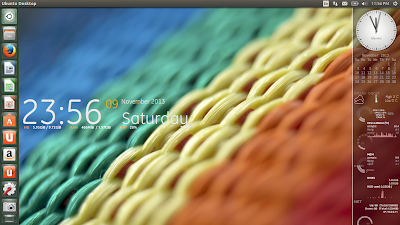
Ubuntu 13.10 "Saucy Salamander" Review and comparison: Ubuntu 13.10 vs Kubuntu 13.10 vs Xubuntu 13.10 vs Lubuntu 13.10 vs Ubuntu GNOME 13.10

Someone asked me yesterday that why I didn't review Ubuntu 13.10, the flagship OS of Canonical, though I reviewed all the other flavors. Well, there are a couple of reasons:

1. Except for Smart scopes and Nvidia support, there is not much difference with Ubuntu Raring
2. A lot of Linux experts wrote some high quality reviews of Ubuntu and I guess, I didn't have much to add.

So I thought of writing a different kind of review - a brief discussion about my experience with the new Ubuntu and a detailed comparison with Kubuntu, Xubuntu, Lubuntu and Ubuntu GNOME. I used a couple of machines for testing Ubuntu and other distros:
  • Asus K54C laptop (2.2 Ghz Core i3 processor, 2 GB DDR3 RAM, Intel HD 3000 graphics 128 MB)
  • Asus K55VM laptop (2.9 Ghz Core i7 processor, 8 GB DDR3 RAM, NVIDIA GEFORCE 630M 2 GB graphics
From Ubuntu 13.10 http://mylinuxexplore.blogspot.in
I generally prefer using my Asus K54C for Linux testing. But, of late, given the importance of Nvidia graphics (which generally comes with most of the modern systems), I am thinking to make my Asus K55VM as the primary machine to test Linux distros. Hence, I start with Ubuntu 13.10 with the new laptop. Though still I'll be using 32-bit OS but in 2014 I have decided to totally shift to 64-bit OS, keeping with the changing times.

Read more!

Saturday, October 26, 2013

Ubuntu GNOME 13.10 "Saucy Salamander" Review: With improved GNOME 3.8 and performs better than Unity 7

When GNOME switched to the 3rd version, initially it was plagued with a whole lot of controversies. Ubuntu came up with Unity DE and gave up pure GNOME 3 momentarily to again be back with a GNOME 3 spin in the Raring Ringtail release. There was no LTS release earlier but this time the Ubuntu GNOME team is gearing up for the 14.04 LTS release. I guess that is a great news for all GNOME lovers.


From Ubuntu GNOME 13.10 http://mylinuxexplore.blogspot.in
All these happened due to incremental improvement in functionality and stability of GNOME. Ubuntu GNOME 13.04 was released with GNOME 3.6 and the new release (Saucy Salamander) ships with the much improved GNOME 3.8.4 along with Linux kernel 3.11.0. As the release note states:
"The Ubuntu GNOME team is proud to announce the release of Ubuntu GNOME 13.10. Ubuntu GNOME aims to bring a mostly pure GNOME desktop experience to Ubuntu. Keeping in coordination with the Ubuntu Desktop team, we have decided to stay with GNOME 3.8 for the 13.10 release. Features: most of GNOME 3.8 is now included; many artwork improvements including new boot loader theme, Plymouth theme, wallpapers, installer slideshow and completed branding with our new logo; the new GNOME Classic session is included, to try it choose it from the Sessions option on the login screen; Ubuntu Online Accounts is no longer included by default."

I used the Ubuntu GNOME 13.10 distro for a week after installing it on my Asus K54C laptop (2.2 Ghz Core i3 processor, 2 GB DDR3 RAM, Intel HD 3000 graphics).


Read more!

Tuesday, October 22, 2013

Kubuntu 13.10 "Saucy Salamander" Review: Just got better with better animations, social network integration and much more!

Ubuntu 13.10 is released this month and I already reviewed Xubuntu and Lubuntu flavors. Next is line is Kubuntu 13.10 which ships with KDE 4.11.2 and Linux kernel 3.11.0. KDE 4.11 has impressed me a lot and I found it to be better than previous KDE editions in terms of support for modern hardware and animations. Also, OpenGL 3.0 plugin works superb with KDE 4.11. However, this distro is primarily meant for advanced hardware and may not give desired results. I used 32-bit Kubuntu 13.10 with Linux pae kernel 3.11.0 for this test and created a live USB using Unetbootin. The latest version of Unetbootin didn't work for me and I had to use version 494 to create Kubuntu live USB. Post that I installed it on my Asus K54C laptop (2.2 Ghz Core i3 processor, 2 GB DDR3 RAM and Intel HD 3000 graphics) on a 10 GB partition for this review.


From Kubuntu 13.10 http://mylinuxexplore.blogspot.in
Kubuntu Saucy comes with a few incremental improvements, as highlighted by the release note:
"Welcome to Kubuntu 13.10, a brand-new version with the latest KDE software to enjoy. Highlights: a new versions of KDE's Software Compilation 4.11 is featured in Kubuntu 13.10, adding faster Nepomuk indexing, Kontact improvements such as a new theme editor for e-mails, and preparing the ground for future developments using Wayland and Qt 5; Muon Discover - a friendly new way to discover and install applications; User Manager - a simpler way to manage your system users; wireless setup in installer; KDE Telepathy with better text editing and improved notifications; the new Network Manager applet gives a simpler UI for connecting to a range of network types; for a summary of the OS installed use the new About System page in System Settings....


Read more!

Sunday, October 20, 2013

Xubuntu 13.10 "Saucy Salamander" Review: As good as ever!

Ubuntu 13.10 is out and brings with it some incremental innovations. I reviewed Lubuntu yesterday and next in line is another lightweight Ubuntu flavor - Xubuntu. This is another distro which didn't undergo significant overhaul like GNOME or KDE. It has stayed more or less consistent over the years, can be customized a lot and post GNOME 2, has been my preferred DE. Unlike LXDE, XFCE is a lot easier to use and many a times, I have recommended XFCE based distros to even Linux newbies. As you can understand, XFCE is one of the best DEs I have used.


From Xubuntu 13.04 http://mylinuxexplore.blogspot.in
With that introduction, you can understand that my expectation from Xubuntu 13.10 was of a relatively stable distro without any drastic change from it's predecessors, except updated applications and packages. The release note of Xubuntu 13.10 mentions of some incremental changes like:

"The Xubuntu team is delighted to announce the release of Xubuntu 13.10! Some of the highlights for Xubuntu 13.10 include: a new version of xfce4-settings has been uploaded, bringing amongst other things a new dialog to set up your displays; a tool for changing your theme colors easily, gtk-theme-config, has been added to the default installation; new wallpaper; new releases of our GTK+ themes (with GTK+ 3.10 support) as well as the LightDM greeter, fixing many visual bugs; updated documentation. Known problems: indicator sound no longer functions with Xfce indicator plugin; gmusicbrowser's albuminfo plugin is deactivated by default and causes the app to hang if enabled...."

For this review, I downloaded the 32-bit Xubuntu Saucy, about 850 MB in size. It ships with XFCE 4.10, Linux kernel 3.11.0 and Thunar 1.6.3 as the file manager along with a host of lightweight and not so lightweight applications. It is targeted to "normal" PC users who want most out of their machines and is also optimized for low end machines. I am using Xubuntu 13.04 on my Pentium 4 with 1.5 GB DDR RAM successfully and I am happy with it.

I used Unetbootin to create a live USB and did a live boot on my Asus K54C laptop with 2.2 Ghz Core i3 processor, 2 GB DDR3 RAM and Intel HD 3000 graphic card. Once satisfied with live boot, I installed it on a 10 GB partition.

Read more!

Saturday, October 19, 2013

Lubuntu 13.10 "Saucy Salamander" Review: Offers fantastic performance and possibly the best Lubuntu release I have used

The Ubuntu 13.10 release is out a couple of days ago and it is named as "Saucy Salamander" in continuation with the tradition of naming each release with an "Adjective Animal". I downloaded all five of the main releases: Ubuntu, Ubuntu GNOME, Kubuntu, Xubuntu and Lubuntu. However, I start my review with my favorite of the Ubuntu flavors: Lubuntu.

Lubuntu combines the goodness of Ubuntu with the lightweight X11 desktop (LXDE) and lightweight applications. Lubuntu's website states that the target segment for Lubuntu are the "normal" PC users running on low spec hardware. However, Lubuntu has found acceptance among Linux users on account of a couple of things: (1) lower resource consumption, (2) relatively stable LXDE desktop (possibly becomes more relevant if I consider the changes going through in GNOME 3 and KDE 4, and not to forget Ubuntu's own Unity). Constraints are there as well - LXDE may not be the easiest DE to configure for Linux novices.

From Lubuntu 13.10 http://mylinuxexplore.blogspot.in

The release note of Lubuntu 13.10 in Distrowatch states of the following improvements:
"Julien Lavergne has released Lubuntu 13.10. Features: based on the lightweight LXDE desktop environment; PCManFM - a fast and lightweight file manager; Openbox -a fast and extensible default windows manager of LXDE; LightDM using a simple GTK+ greeter; Firefox as the new web browser for Lubuntu 13.10; based on Ubuntu 13.10. Improvements since Lubuntu 13.04: new version of PCManFM and libfm (1.1.0) including a built-in search utility; artwork improvements, including new wallpapers, community wallpapers and new icons; removed Catfish since PCManFM has its own search utility; fixed a very old bug causing GNOME MPlayer to crash with some CPUs; several fixes for the GPicView image viewer."

I downloaded the 700 MB 32 bit ISO for review. Generally I find 32-bit with pae kernel offer better performance over the 64 bit versions. Further, a lot of applications work better with 32-bit versions. I used Unetbootin to create a live USB and then install it on my Asus K54C laptop with 2.2 Ghz Core i3 processor, 2 GB DDR3 RAM and Intel HD 3000 graphics. I used a 10 GB partition to install the distro. Lubuntu 13.10 comes with LXDE 0.5 desktop with Linux kernel 3.11.0 and PCManFM 1.1.2 as file manager.


Read more!