Linux Mint does it again! The thing I admire about Linux Mint is the ability to work on any type of system and refined interface that it brings on the table - every time! When I reviewed the Mint Maya KDE, I was wondering if I had seen any KDE distro more complete than this. With the Mint Nadia KDE release my impression has changed. This edition not only looks gorgeous but the KDE bloat-wares are gone to actually give the users a more functional set of applications.
Linux Mint 14 KDE actually completes the release cycle for Nadia with Cinnamon, Mate and XFCE already out. I wish for a LXDE edition as well, but never mind. I created my own Mint 14 LXDE from Mint 12 LXDE! Anyway, coming back to the KDE edition. The 32-bit works with both 32-bit and 64-bit machines.
From Mint 13 to 14, the 32-bit ISO has gained a little bit of bulk and now stands at 1.1 GB. KDE desktop is upgraded to 4.9.2 (which upgrades to 4.9.3 after the first update) and Linux kernel to 3.5.0, same as Kubuntu 12.10. Alongside, there are quite a few incremental improvements in this edition, like
I don't know if other users have experienced it or not, but LM 14 KDE takes a bit of time to settle down after live boot. Initially, on all the systems I tried, it was painfully slow but after 5 min. I could see the real performance. However, there was no such issue after installation. Touchpad and Wifi detections were immediate and automatic. Sound worked perfectly - I could boot up and start playing my favorite movie!
Applications
As mentioned, Linux Mint 14 KDE practically has all the applications that I wish a distro should have. The list is well thought out and more than sufficient for regular needs.
All the multimedia codecs and flashplugin are already present in LM 14 KDE. Right after live boot / install, I could start playing my favorite youtube video online or listen to music apart from watching movies.
Appearance
The looks haven't changed much from the last release, but I could see the marginal improvements in design and aesthetics, as given in the release notes. In general, aesthetics are really good and sufficient attention has been given to the details, like fonts, color combination of the applications to suit the theme, etc. KDE 4.9.2 as usual looks shiny and bright. Dolphin 2.1 is much better than Dolphin 2.0 functionally, if not in looks. Further, animations are subtle and doesn't cause distraction, which is good.
Installation
Installation is pretty much the same - usual Ubuntu and it takes about 30 minutes. Steps are like language, location, keyboard, user name and password, installation drive, etc. preferences followed by installation from the ISO. No surprises there and things went smoothly at a single go.
CPU and RAM Usage
Linux Mint 14 KDE is best-in-class in terms of resource usage. As mentioned earlier, I used a proper laptop, a low powered netbook and an antiquated PC. Everywhere Linux Mint 14 KDE booted up well. Even on my netbook and HP P4 PC, I could do my regular chore, although a bit slow, but still reasonable speed to do my work smoothly.
On my Asus K54C, LM 14 KDE used 1-5% CPU and 255 MB RAM with task manager running, which is marginal improvement over LM 13 KDE (270 MB RAM) on the same machine. Further, based on the previous tests I did, I see that it's performance is actually much better than any other KDE distro (almost at par with Mageia 2 KDE).
Overall
In last couple of days, I tested LM 14 KDE on a netbook with 1 GB RAM, a P4 PC with 1.5 GB RAM and a Corei3 machine with touchpad & 2 GB RAM. It worked reasonably well on low resource machines and really fast on the i3 laptop. If you are looking for one of the best KDE spins, Linux Mint 14 should be the choice for you. It looks elegant & shiny, performs better than any other KDE distro and has a really good ensemble of functionally useful apps. Plus, in my testing, it worked on whatever systems I tried - even on low resource systems! Definitely one of the better KDE distros of the year and I safely recommend it. In my last couple of days of usage, I found it to be really fast and stable distro. The subtle animations don't hamper with productivity and it is really smooth to use.
On the question of upgrading from LM 13 KDE, I would rather not. The primary incremental improvement is in KDE desktop environment and even Linux Mint 13 has KDE 4.9 now. So, right now there is no motivation for me to upgrade LM 13 KDE to LM 14 KDE.
You can download Linux Mint 14 KDE from here.
You may interested to read my recent article on Comparison of Best KDE Distro of 2012.
Note: I replaced my Linux Mint 13 XFCE installed on my Asus EeePC 1101HA with 1 GB RAM and 1.38 Ghz Intel Atom processor with Linux Mint 14 KDE 32-bit and it is running awesome! My most versatile KDE distro of the year is Linux Mint 14, undoubtedly. Works on any and every kind of machine.
 |
| From Linux Mint 14 KDE |
Linux Mint 14 KDE actually completes the release cycle for Nadia with Cinnamon, Mate and XFCE already out. I wish for a LXDE edition as well, but never mind. I created my own Mint 14 LXDE from Mint 12 LXDE! Anyway, coming back to the KDE edition. The 32-bit works with both 32-bit and 64-bit machines.
 |
| From Linux Mint 14 KDE |
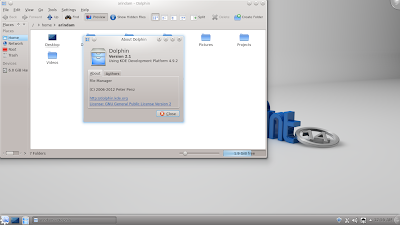
- Dolphin 2.1 has now back and forward buttons, better artwork, ability to show metadata like ratings, tags, image & file size, authors, etc. and even group files based on metadata information
- Incremental improvements in Konsole, Kontact, Kwin, Korganizer, etc. to make them faster and more stable
- Software Manager (MintInstall) has some serious improvements to showcase, like it no longer uses aptdaemon but its own apt client which come with full debconf support. It means that you can now install debconf enabled packages like Wine, Microsoft fonts, etc. from the software manager only & not resort to synaptic package manager. Plus, it now runs as root and now it doesn't require the user to type password every time an application is installed.
- Mintstick replaces USB Image Writer and it has better GUI and progress reporting.
 |
| From Linux Mint 14 KDE |
I don't know if other users have experienced it or not, but LM 14 KDE takes a bit of time to settle down after live boot. Initially, on all the systems I tried, it was painfully slow but after 5 min. I could see the real performance. However, there was no such issue after installation. Touchpad and Wifi detections were immediate and automatic. Sound worked perfectly - I could boot up and start playing my favorite movie!
Applications
As mentioned, Linux Mint 14 KDE practically has all the applications that I wish a distro should have. The list is well thought out and more than sufficient for regular needs.
- Office: LibreOffice 3.6 suite, Okular Document viewer, KAddressbook, Korganizer, Ktimetracker, KContact
- Internet: Firefox 17, Ktorrent, KGet download manager, Akregator Feed Reader, Kopete IM, IRC Client, KMail, Kvpnc VPN Client, Adobe flashplugin 11
- Graphics: GIMP 2.8, Gwenview Image Viewer, Digikam photo management, KSnapshot, Xsane image scanner
- Multimedia: Amarok, Kaffeine Media Player, VLC 2 and multimedia codecs
- Others: Kate text editor, K3b disk burning, USB Image Writer, Upload Manager, Backup tool, Ark archiving tool, KGpg encryption tool, Klipper clipboard, Knotes, Kcalc, Kmag screen magnifier, Konsole, Root Konsole
All the multimedia codecs and flashplugin are already present in LM 14 KDE. Right after live boot / install, I could start playing my favorite youtube video online or listen to music apart from watching movies.
Appearance
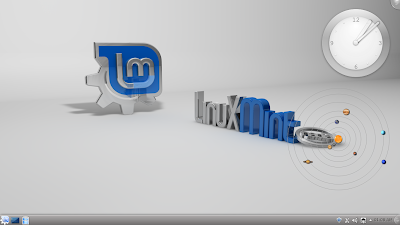
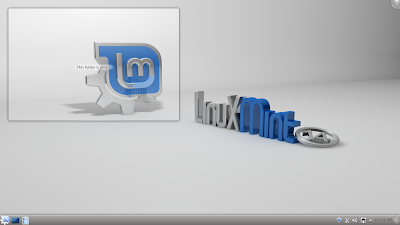
The looks haven't changed much from the last release, but I could see the marginal improvements in design and aesthetics, as given in the release notes. In general, aesthetics are really good and sufficient attention has been given to the details, like fonts, color combination of the applications to suit the theme, etc. KDE 4.9.2 as usual looks shiny and bright. Dolphin 2.1 is much better than Dolphin 2.0 functionally, if not in looks. Further, animations are subtle and doesn't cause distraction, which is good.
 |
| From Linux Mint 14 KDE |
 |
| From Linux Mint 14 KDE |
 |
| From Linux Mint 14 KDE |
Installation is pretty much the same - usual Ubuntu and it takes about 30 minutes. Steps are like language, location, keyboard, user name and password, installation drive, etc. preferences followed by installation from the ISO. No surprises there and things went smoothly at a single go.
CPU and RAM Usage
Linux Mint 14 KDE is best-in-class in terms of resource usage. As mentioned earlier, I used a proper laptop, a low powered netbook and an antiquated PC. Everywhere Linux Mint 14 KDE booted up well. Even on my netbook and HP P4 PC, I could do my regular chore, although a bit slow, but still reasonable speed to do my work smoothly.
On my Asus K54C, LM 14 KDE used 1-5% CPU and 255 MB RAM with task manager running, which is marginal improvement over LM 13 KDE (270 MB RAM) on the same machine. Further, based on the previous tests I did, I see that it's performance is actually much better than any other KDE distro (almost at par with Mageia 2 KDE).
Overall
In last couple of days, I tested LM 14 KDE on a netbook with 1 GB RAM, a P4 PC with 1.5 GB RAM and a Corei3 machine with touchpad & 2 GB RAM. It worked reasonably well on low resource machines and really fast on the i3 laptop. If you are looking for one of the best KDE spins, Linux Mint 14 should be the choice for you. It looks elegant & shiny, performs better than any other KDE distro and has a really good ensemble of functionally useful apps. Plus, in my testing, it worked on whatever systems I tried - even on low resource systems! Definitely one of the better KDE distros of the year and I safely recommend it. In my last couple of days of usage, I found it to be really fast and stable distro. The subtle animations don't hamper with productivity and it is really smooth to use.
On the question of upgrading from LM 13 KDE, I would rather not. The primary incremental improvement is in KDE desktop environment and even Linux Mint 13 has KDE 4.9 now. So, right now there is no motivation for me to upgrade LM 13 KDE to LM 14 KDE.
You can download Linux Mint 14 KDE from here.
You may interested to read my recent article on Comparison of Best KDE Distro of 2012.
Note: I replaced my Linux Mint 13 XFCE installed on my Asus EeePC 1101HA with 1 GB RAM and 1.38 Ghz Intel Atom processor with Linux Mint 14 KDE 32-bit and it is running awesome! My most versatile KDE distro of the year is Linux Mint 14, undoubtedly. Works on any and every kind of machine.
Read more!
