This review is based on Hud's request. Hud Huni Dhiya is from Indonesia and wanted to get BlankOn 8 reviewed. To begin, BlankOn is a Debian based distro and a result of personal endeavors of
Indonesian Linux Motivator Foundation. BlankOn 8.0, code name "Rote", was released on 17th Aug'2012. You can get more details of BlankOn in
Wikipedia. Apart from the ethic language, it also supports English and my review is based primarily on the English boot up.
The 64-bit ISO is about 1 GB in size and can be downloaded from
here. I tested both the Live CD and later, installation to a Asus Dual Core i3 laptop with 2 GB RAM.
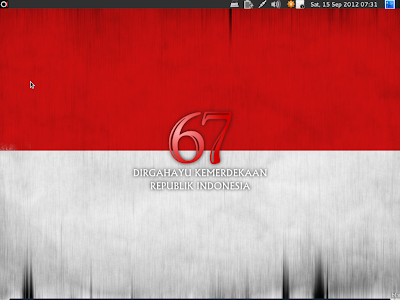
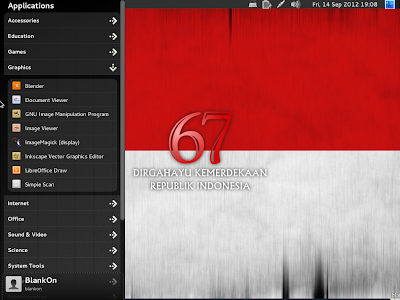
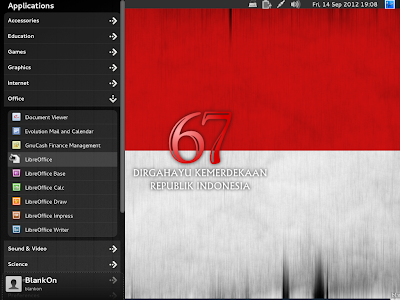
The Linux kernel is 3.2.0 and it has Gnome 3.4.2. Honestly, I was expecting a typical Gnome 3 environment but the desktop surprised me! It was heavily tweaked Gnome 3 built with an HTML 5 and CCS 3 custom desktop shell, called Manokwari. It really impressed me, not possibly by the looks, but the efficiency it gives. The default wallpaper may not be the prettiest but once you change it, I liked the simple look. Also, there is no fancy Activities here - once you click the circle at the top left corner, you get traditional menu of applications. Application list opens within the menu itself. The simplicity of the distro appealed to me.
Applications
Application-wise, it is rich, of course. You have most of the common apps out-of-the-box, like LibreOffice suite, Cheese, Media players, Chrome, Evolution email client, Pidgin chat, etc. Graphics section is particularly rich, with GIMP 2.8, Blender, Inkscape, ImageMagick, etc. Flash plugin is not by default and you've to download it from the repo. You need to download VLC and Skype as well.
Other than the regular softwares, Tux Math, Tux typing and Stellarium are present. Stellarium is a good addition here and I really like it. Java is by default in the distro.
Rest is pretty much typical Debian. It detected my LAN and WIFI without much effort. The distro is very fast and I used it for 5 days without anything crashing. So, stability is good. Further, I didn't have any issue with display or sound settings. Everything got detected automatically. Like Debian, BlankOn is smooth to operate and intuitive. All the controls are located in a single System Settings window and easy for a user to locate and change.
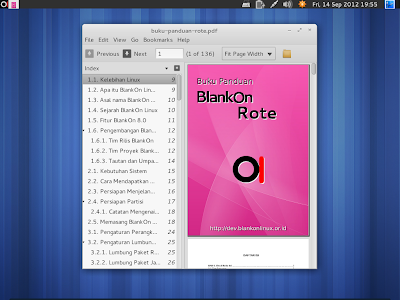
Additionally, there is a comprehensive documentation available on the distro, for the users. However, because of language barrier, I couldn't jump into details though I could see all the functionalities of the OS explained with nice figures and words.
Installation
Installation took me just 5 minutes. You need to decide the language, keyboard and the drive where you want to install and the rest part is just clicking next. I guess it is designed targeting the newbies as well and hence, kept very simple. Definitely commendable effort and simplicity of installation is at par with Ubuntu or a Linux Mint.
CPU and RAM Usage
Post installation RAM consumption was 255 MB with only system monitor running and CPU usage of 5-10%. Kudos to the developers! I haven't seen any 64-bit Gnome 3 desktop to consume so low RAM yet. Possibly BlankOn may not be the eye-candy for you but it is very efficient and functional.
Repository
Repo is somewhat a hybrid of Debian and BlankOn. You have to install applications through Synaptic package manager. I would have preferred a Software Manager kind of app through which I can see, choose and download favorite apps. Synaptic manager is messy, meant primarily for power users and definitely not for newbies. I hope the developers add a software manager to it in future.
Overall
I liked BlankOn for its
simplicity,
efficiency and
intuitiveness. It is fast, stable and has good applications to offer out-of-the-box. There are some rough edges as well. The modified Gnome 3 desktop is very functional but may not appeal to those who are looking for eye-candies. Secondly, I am not very fond of offering synaptic package manager as the only application manager for newbies. Synaptic is messy and many a times breaks the system if operated by a novice. A software manager should be there in a distro which aims to be functional for the newbies. Apart from these rough edges, my last word - I haven't seen any 64-bit Gnome 3 Linux distro to run on 250 MB RAM and I feel the Manokwari desktop and BlankOn distro has promise.